NGTeco Time Clock - K4 Model User Manual
Page | 46 Copyright©2021 NGTeco. All rights reserved.
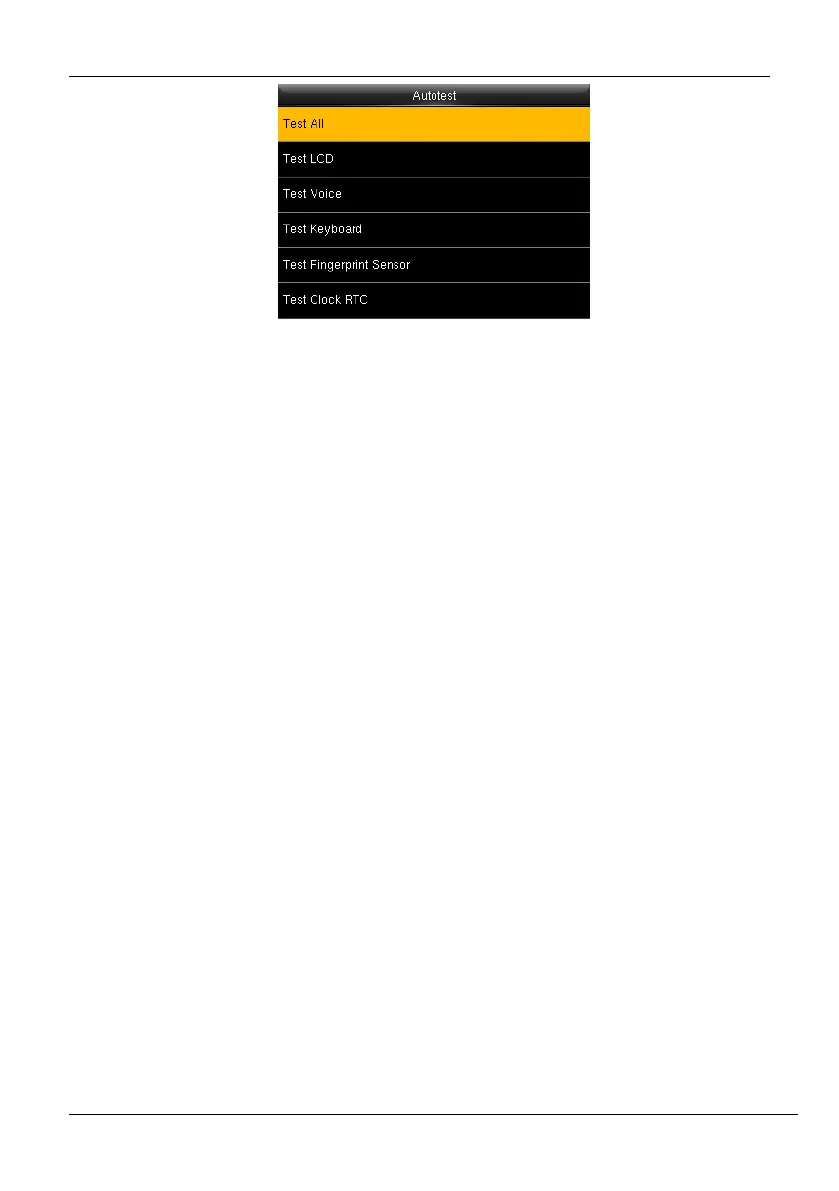
Figure 7-6: Auotest Interface -2
Test All: The device automatically tests the LCD, Voice, Keyboard, Face and Clock RTC, press
[OK] to continue and press [ESC] to exit.
Test LCD: The device tests the display effect of LCD screen by displaying full color, pure
white, and pure black to check whether the screen displays colors properly.
Test Voice: The device automatically tests whether the voice files stored in the device are
complete and the voice quality is good.
Test Keyboard: Checks if the keyboard is available.
Test Fingerprint Sensor: To test the fingerprint sensor by pressing a finger on the scanner
to check if the acquired fingerprint image is clear. When you are pressing a finger on the
scanner, the fingerprint image will display on the screen.
Test Clock RTC: Checks if the RTC (Real-Time Clock) is accurate.



 To Next Page