NGTeco Time Clock - K4 Model User Manual
Page | 67 Copyright©2021 NGTeco. All rights reserved.
12 Time-Attendance Reports
You can generate statistical reports that display the attendance details of the users in the
specified pay period. The difficulty of maintaining the user’s time and attendance is lessened
with this simple reporting system. The data generated from these attendance reports assist
with efficient management of user's resources and report accuracy.
12.1 Report Parameters
The procedure to set the report parameters is given below:
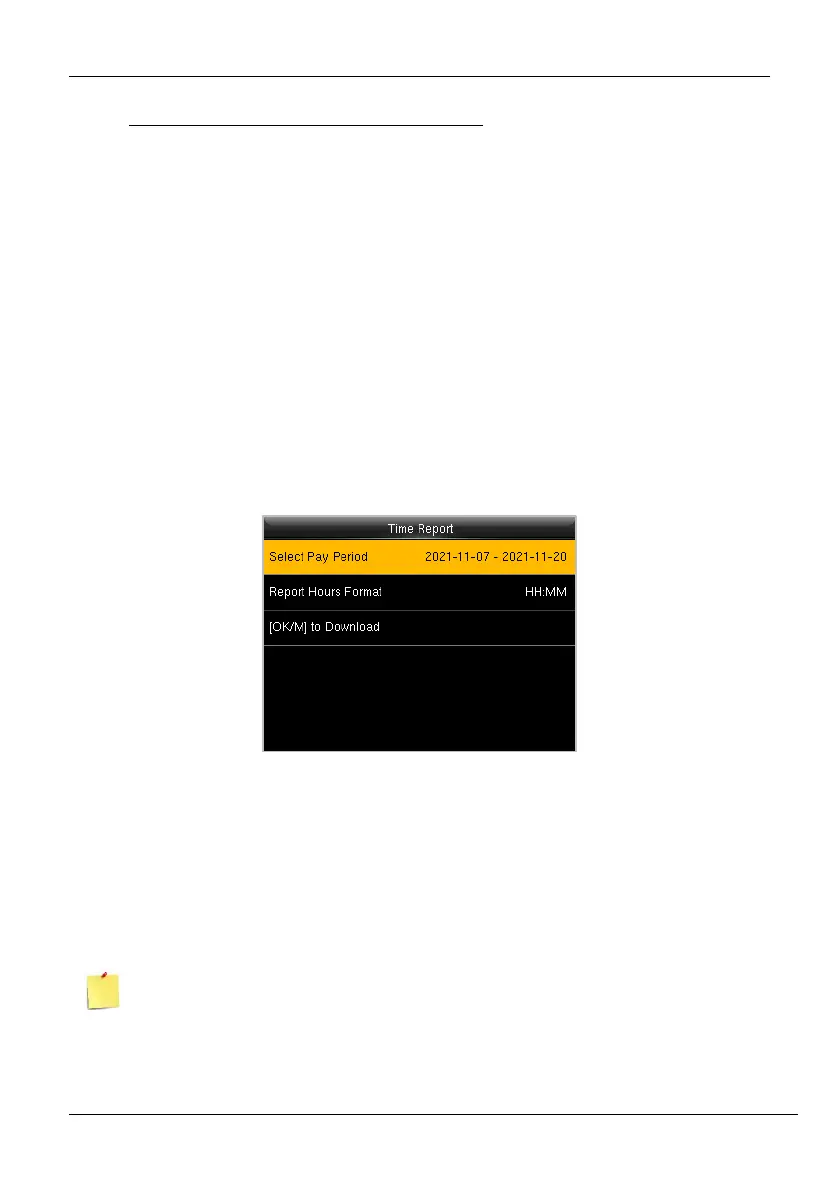
• Go to [Time Report]. The interface to generate reports will be displayed as shown
below:
Figure 12-1: Time Report
Select Pay Period: The available pay period options are the Current Pay Period and
Custom Pay Period. You can also select the date range of the pay period which is currently
being used. In the Custom Pay period, you can define the date range within 31 days.
Report Hours Format: Select the report hours format.
The Start and End dates are predefined based on the selected pay periods except for the
Custom Pay period.



 To Next Page