NGTeco Time Clock - K4 Model User Manual
Page | 71 Copyright©2021 NGTeco. All rights reserved.
14 Connect to NGTeco Time App
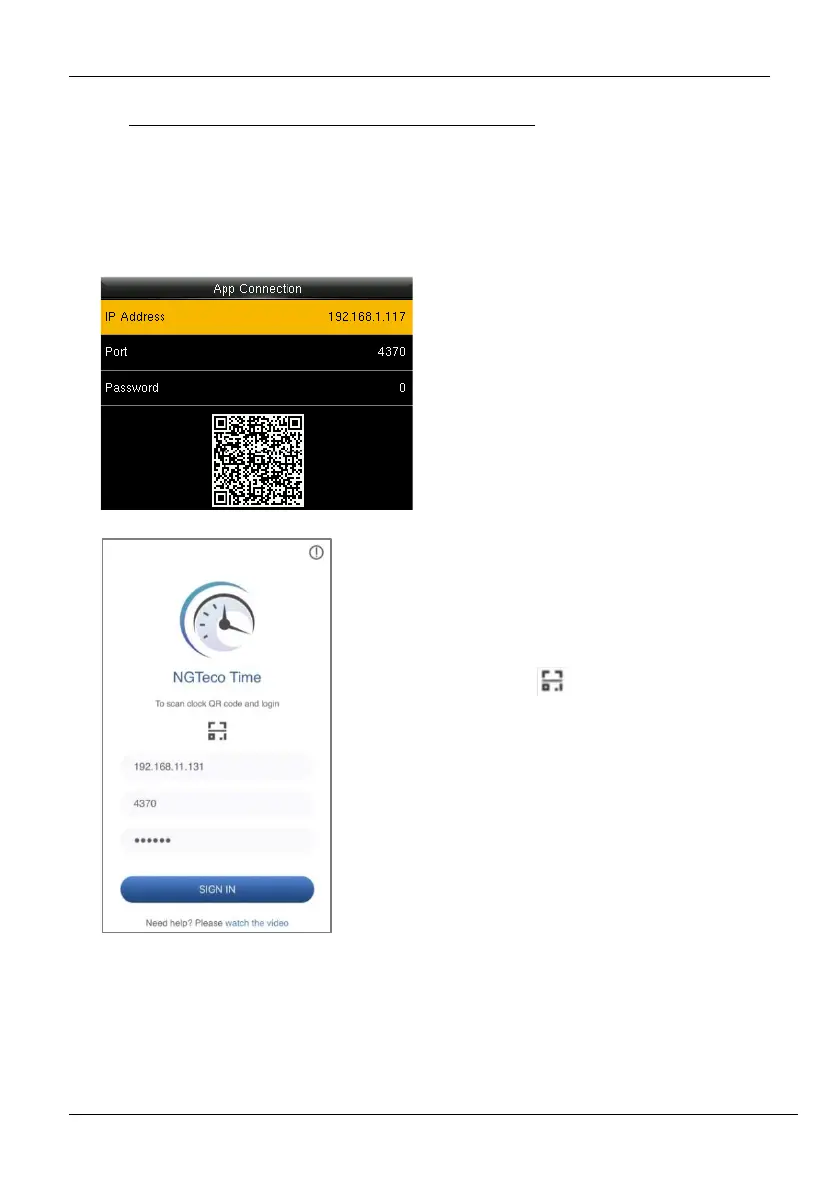
The App Connection interface allows you to connect the NGTeco Time Mobile app with the
time clock. Once connected, you can perform User management, Report management, etc.
on the Mobile app. The process is as follows:
1. Download and install the NGTeco
Time App on your phone.
2. Connect the mobile and time clock
to the same Wi-Fi network.
3. Select [Comm.] and then [App
Connection] to view the QR code.
4. Enter the Password and Confirm.
1. Open the NGTeco Time App and
press to scan the QR code from
the clock.
2. After a successful connection, you
can set the clock parameters from
your mobile.



 To Next Page