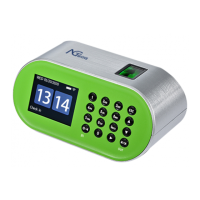
NGTeco Time Clock - K4 Model User Manual
Page | 61 Copyright©2021 NGTeco. All rights reserved.
Auto Punch Mode: When this feature is enabled, the punch state will not be displayed on
the home screen and the punch state will be updated automatically based on the previous
punch state of the user. For example, if the user’s first punch state is Check-in, then the next
punch state is Check-out. This feature is enabled by default.
Note: When the time exceeds the Day Cutoff Time, the punch state will be reset to Check-in.
If the Auto Punch Mode is turned off, the user needs to select the punch state manually and
the punch state will be displayed on the home screen. Press the ☉/< button to change the
punch state to IN, and the <M/OK> button to change the punch state to OUT. The punch
state is Check-in by default and if the user presses the <M/OK> button the state will change
to Check-out for five seconds. Then, the state will be auto-changed to Check-in.
View Punch Record: When this option is turned on, the users can view their attendance
records by themselves.
If the View Punch Record is turned off, the users cannot view the attendance records.



 To Next Page