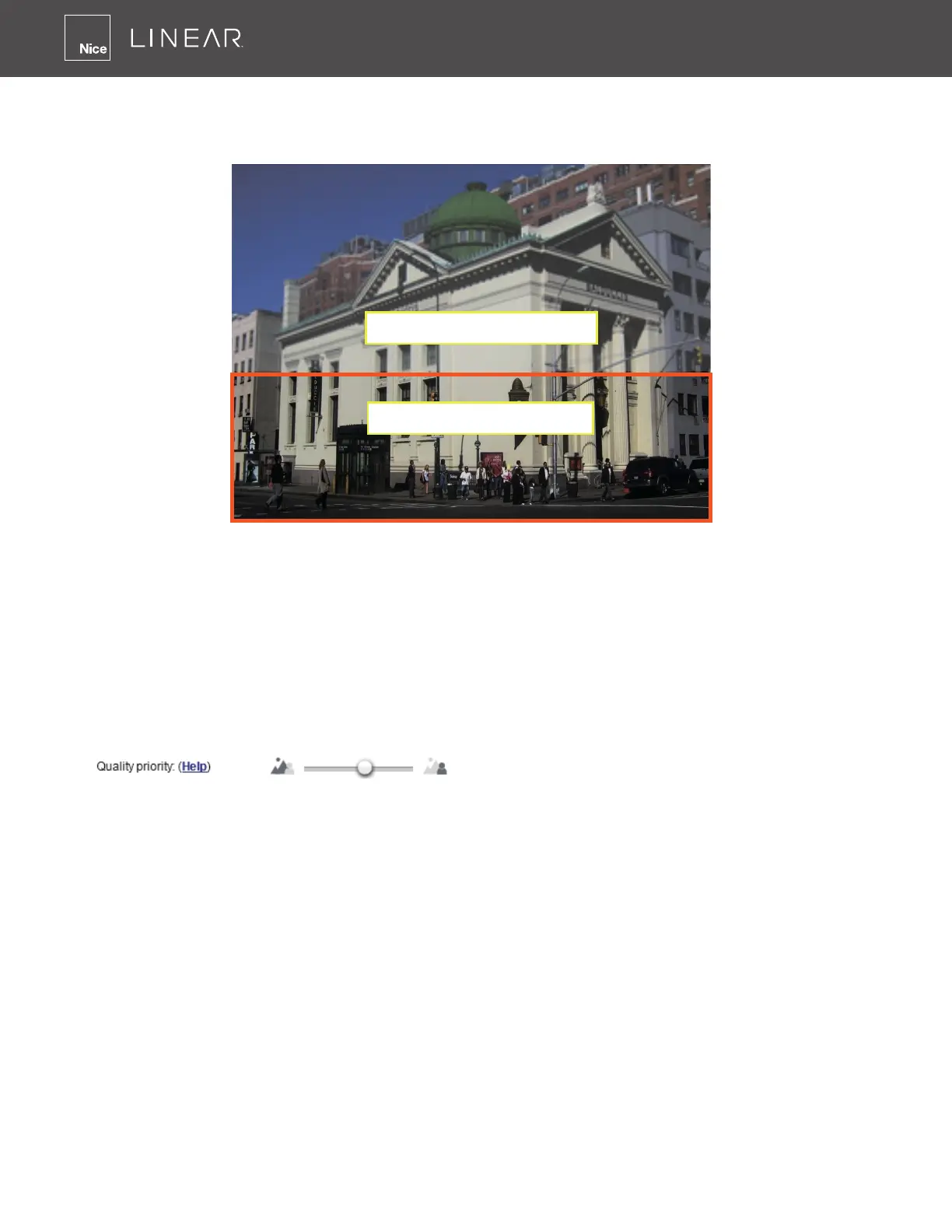
100
ROI: higher-quality
non-ROI: lower-quality
As the result, the lower screen is constantly displayed in high details, while the upper half is
transmitted using a lower-quality format� Although the upper half is transmitted using a lower
quality format, you still have an awareness of what is happening on the whole screen�
• Hybrid: The major difference between the “Manual” mode and the “Hybrid” mode is that:
In the “Hybrid“ mode, any objects entering the non-interested area will restore the video
quality of the moving objects and the area around them� The video quality of the associated
non-interested area is immediately restored to normal to cover the moving objects�
In the “Manual” mode, the non-interested area is always transmitted using a low-quality
format regardless of the activities inside�
• Quality priority: Use the slide bar to tune the quality contrast between the ROI and non-
interested areas�
The farther the Slide Bar button is to the right, the higher the image quality of the ROI areas�
On the contrary, the farther the Slide Bar button to the left, the higher the image quality of
the non-interested area�
In this way, you may set up an ROI window as a privacy mask by covering a protected area
using an ROI window, while the remaining screen become the non-interested area� You may
then congure the non-interested area to have a high image quality or vice versa�
You should also select the Maximum bit rate from the pull-down menu as the threshold to
contain the bandwidth consumption for both the high- and low-quality video sections in a
smart stream�



 To Next Page