121
Smart Surveillance
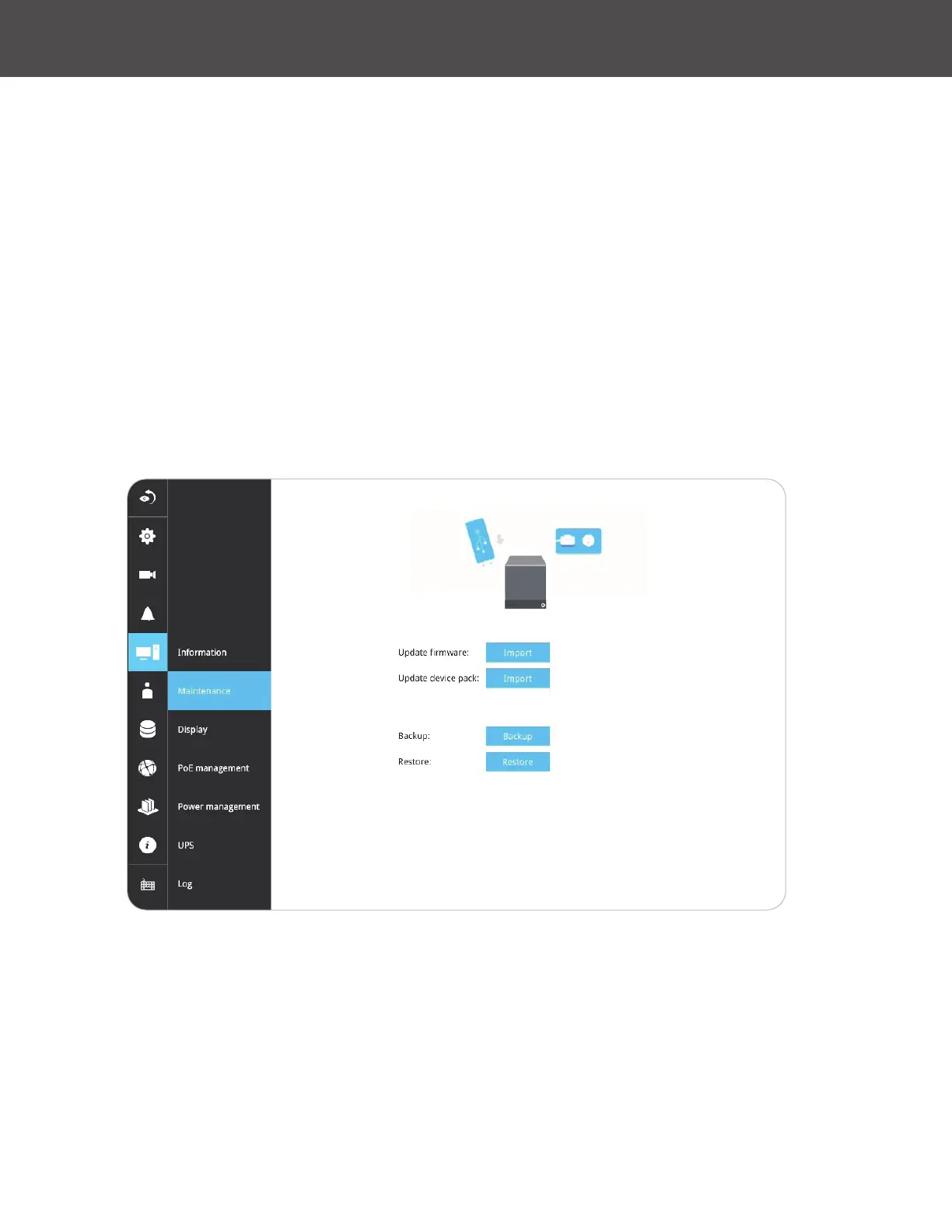
3-5-13� Settings - System - Maintenance
If the system rmware requires an update, download the update from www�linear-solutions�com�
Locate the rmware binaries, and click the Import button� The upgrade should take several
minutes to complete� Note that during the upgrade, the recording task will be interrupted�
On this window, you can perform four (4) maintenance tasks:
1� Update rmware: Download rmware and save it to a USB drive in the FAT format, attach the
USB device to the NVR for rmware upgrade�
2� Update device pack: A device pack allows you to import associated congurations and
parameters for new camera models so that these cameras can be integrated into your NVR
conguration� The information in the device pack is related to some tunable parameters�
3� Backup: You can backup your system conguration using the Backup function� Click Backup,
a message window will prompt� Click Save to preserve your system congurations�
Select a location for your backup le, then click Save to complete the process� If you back up to a
USB thumb drive, that thumb drive must be formatted using the FAT format�
Note that the backup action does not involve the following:
» Recorded videos and database
» Alarm records, bookmarks and bookmarked footages�
4� Restore: If you have a previously-saved prole, you can restore your previous conguration�
Click the Restore button�
A le location window will prompt� Locate the backup le, and click Open� The Restore process
will take several minutes to complete, and system operation will be interrupted during the process�



 To Next Page