104
3-5-8� Settings
-
Camera
-
PTZ settings
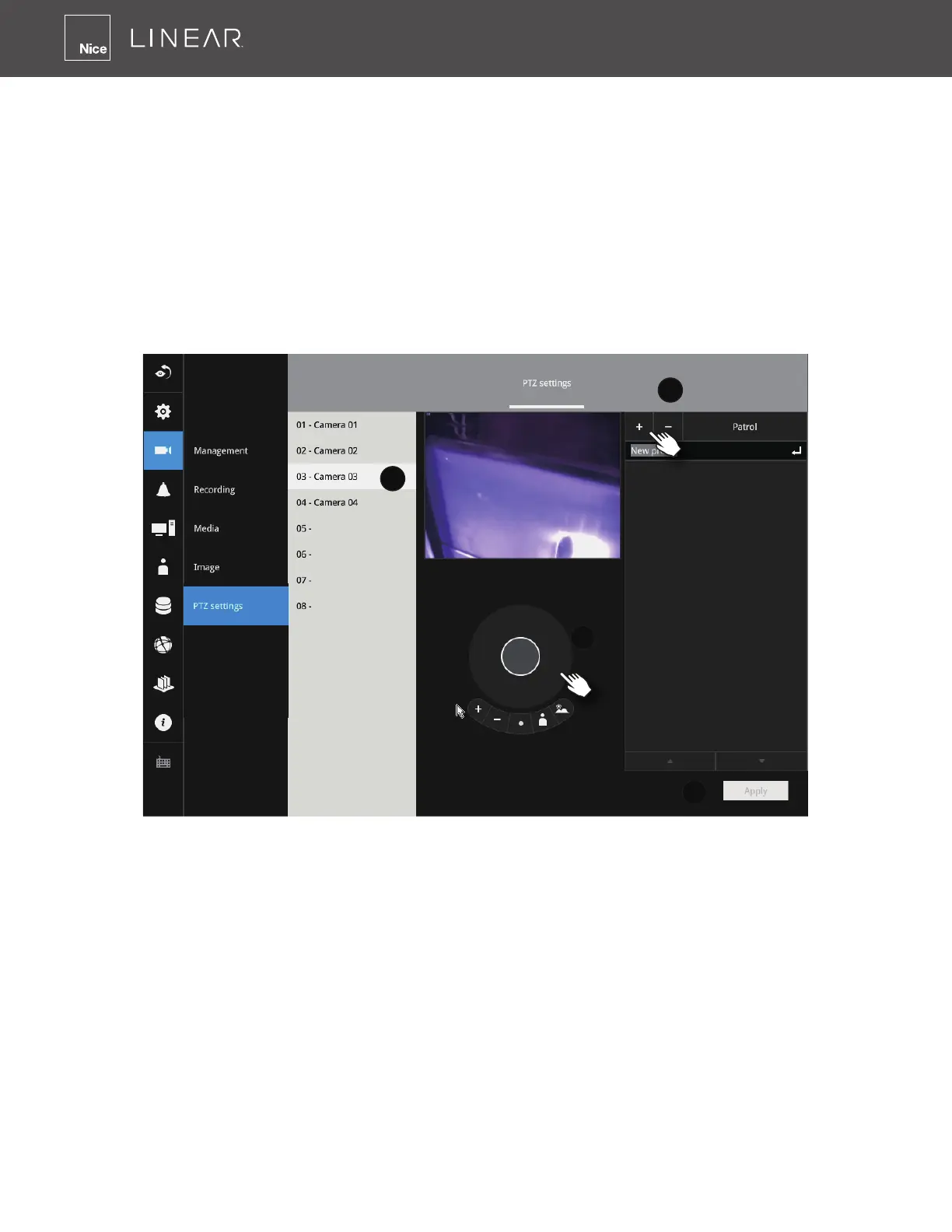
To congure PTZ preset positions:
1� Select a PTZ camera (single click)�
2� Use the PTZ panel to move to a eld of view where you want to designate as a preset position�
3� Click the Add (+) button, and enter a name for the position� Press Enter to proceed� Repeat
the conguration to create more positions�
4� Click the Apply button for the conguration to take effect�
Note that the PTZ panel can vary with different PTZ cameras�



 To Next Page