38
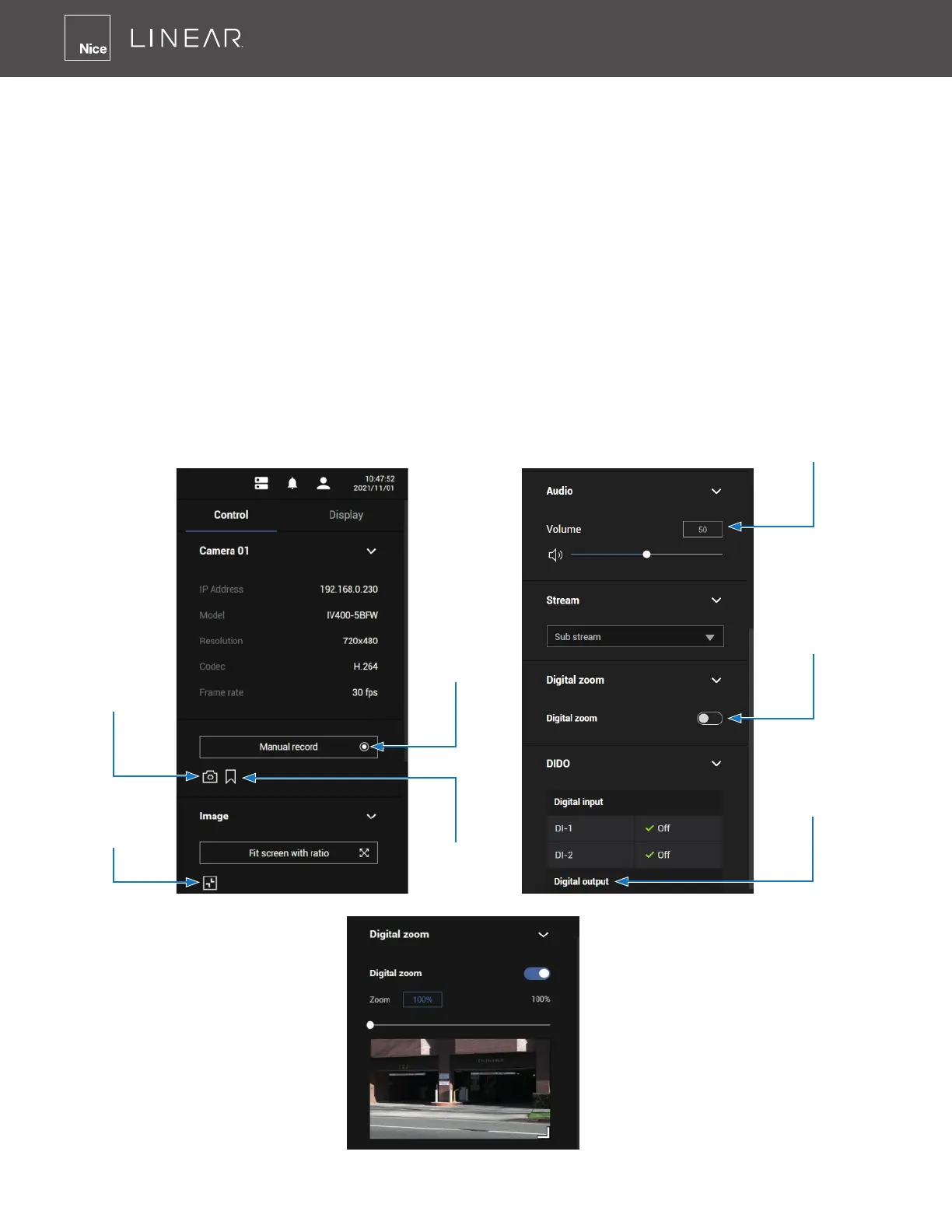
Control Pane
Click to select any of the view cells to activate its Control and Display panes� You can exert the
following:
1� View basic information such as the IP address, Model Name, etc�
2� Start a manual recording�
3� Take a snapshot�
4� Place a bookmark if you nd something of your interest� The bookmark is preserved as a one-
minute footage along with a short description of a particular incident� The precondition of
using this function is that the video stream, while you are watching it on the view cell, must be
recorded to the NVR at the same time�
5� Tune the audio volume�
6� Select a different stream�
7� Enable the Digital Zoom (using the mouse wheel)�
8� Manually toggle the Digital Output�
Snapshot
Fit Screen
Toggle
Manual
Recording
Volume
Control
Digitlal
Zoom
DO
Toggle
Bookmark



 To Next Page