20
Terminal Block Connections
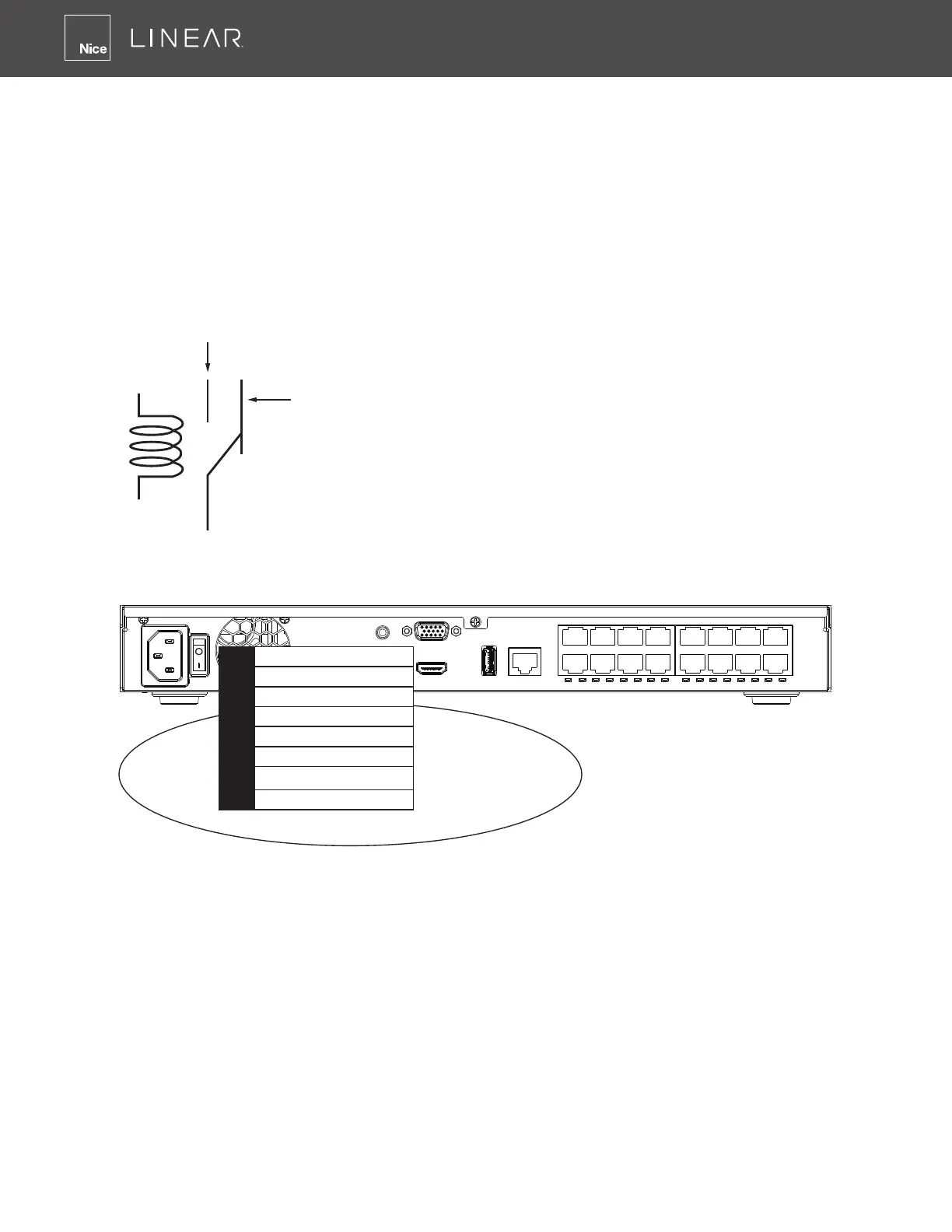
The terminal block pinouts is shown as follows:
The relay pins default status is set to Normally Open� Connect your relay or external devices’
signal wires to the system, the system will automatically detect the current signal status� You can
then trigger the external devices using the DI/DO panel on the live view�
You can also congure the system alarm setting for the system to automatically trigger a relay pin
on the occurrence of system events� See Settings - Alarm - Events, page 109�
ssss
Normally Open
pin
Common pin
Normally Closed
pin
Coil
1 Relay_NO
2 Relay_COM
3 DI1
4 DI2
5 DI3
6 DI4
7 GND
8 GND
The GND are common ground for the DIs�
Initial Conguration - via a Local Console
A local console requires the following:
1� A monitor is connected via an HDMI or VGA cable�
2� A mouse and/or a keyboard are connected to the system�
3� It is presumed that the system has not been congured yet�
4� The system will prompt you to create a password�



 To Next Page