21
Smart Surveillance
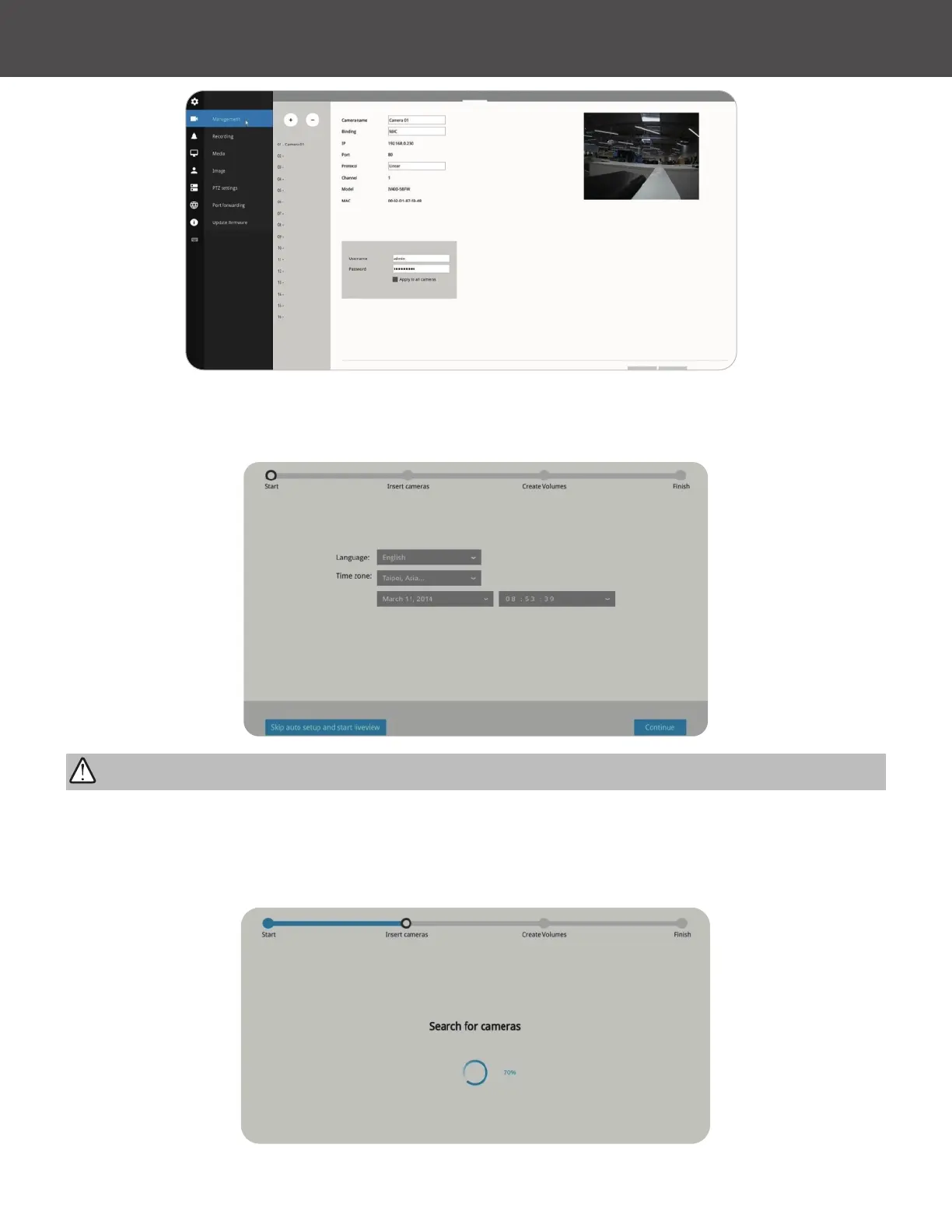
Follow the on-screen messages to complete the initial conguration:
1� Select the UI language, Time zone and current date and time� Click on the Continue button to
proceed� Make sure you enter the correct date and time�
Except in the initial setup, changing system time can produce disruptions to the existing
recordings� Turning the current system time back to a time when video recording was taking place
can generate duplicate les� And those les may not be playable�
2� The system will then start to scan the local subnet for connected cameras�
IMPORTANT:



 To Next Page