106
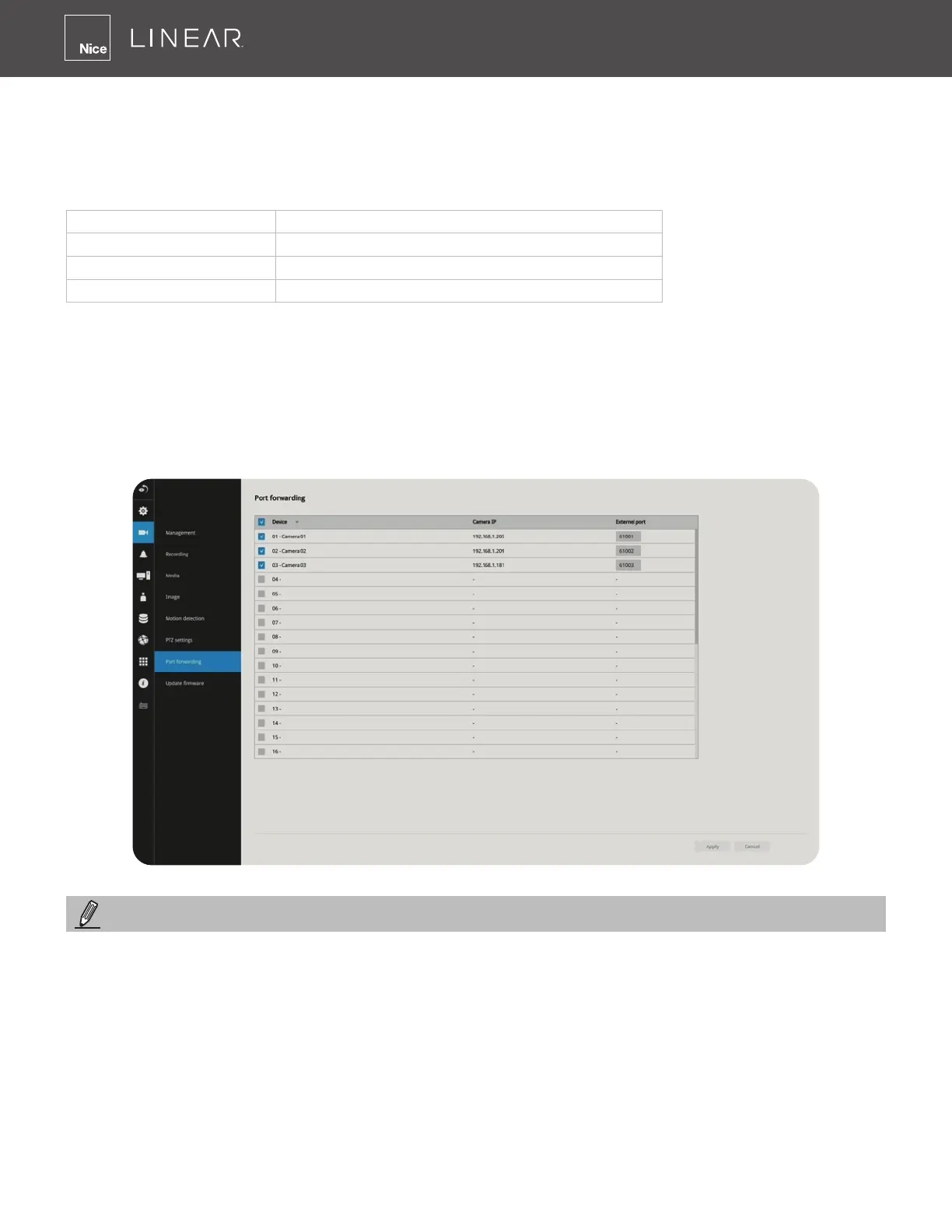
3-5-9� Settings - Camera - Port forwarding
You can associate an external port number to the cameras managed by the NVR� You can then
congure the router, virtual server or rewall, so that the router can forward any data coming into
a pre-congured port number to a network camera on the private network and allow data from the
camera to be transmitted to the outside of the network over the same path�
From Forward to
122�146�57�120:8000 192�168�2�10:80
122�146�57�120:8001 192�168�2�11:80
��� ���
When properly congured, you can access a camera behind the router using the HTTP request
such as: http://122�146�57�120:61001
If you change the port numbers on the Network conguration page, please open the ports
accordingly on your router� For example, you can open a management session to your router to
congure access through the router to the camera within your local network� Please consult your
network administrator for router conguration if you have troubles with the conguration�
1� This port forwarding feature does not support cameras connected via the RTSP method�
2� The congurable range of port numbers is between 61001 ~ 61128�
3� Port forwarding can create a network security vulnerability please contact your IT administrator
for proper guidance on accessing equipment on the local network from outside the network�
NOTE:



 To Next Page