105
Smart Surveillance
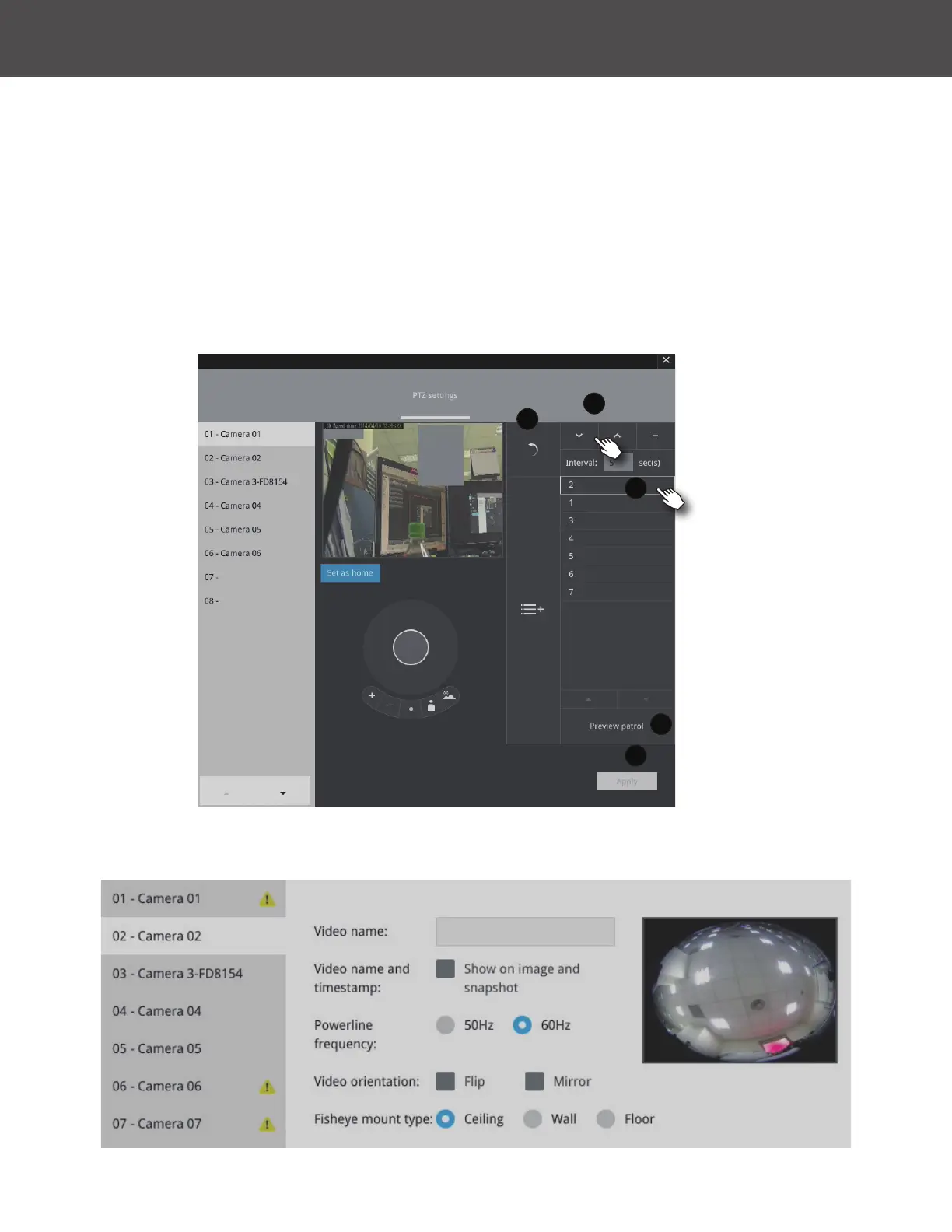
Fisheye camera has its unique options such as the mount types�
To congure a patrol:
1� Click to enter the Patrol menu� Select a preset position if you want to change its position on
the patrolling order�
2� Click the Up and Down buttons to change the position on the order, or click the Remove
button to disband a position from the order� You can also change the interval to stay before
moving from one position to the next position�
3� You may then click on the Preview Patrol button to see if it runs as expected�
4� Click the Apply button for the conguration to take effect�
5� Click on the Back to Preset List button to return to the preset window�
1
2
3
4
5



 To Next Page