87
Smart Surveillance
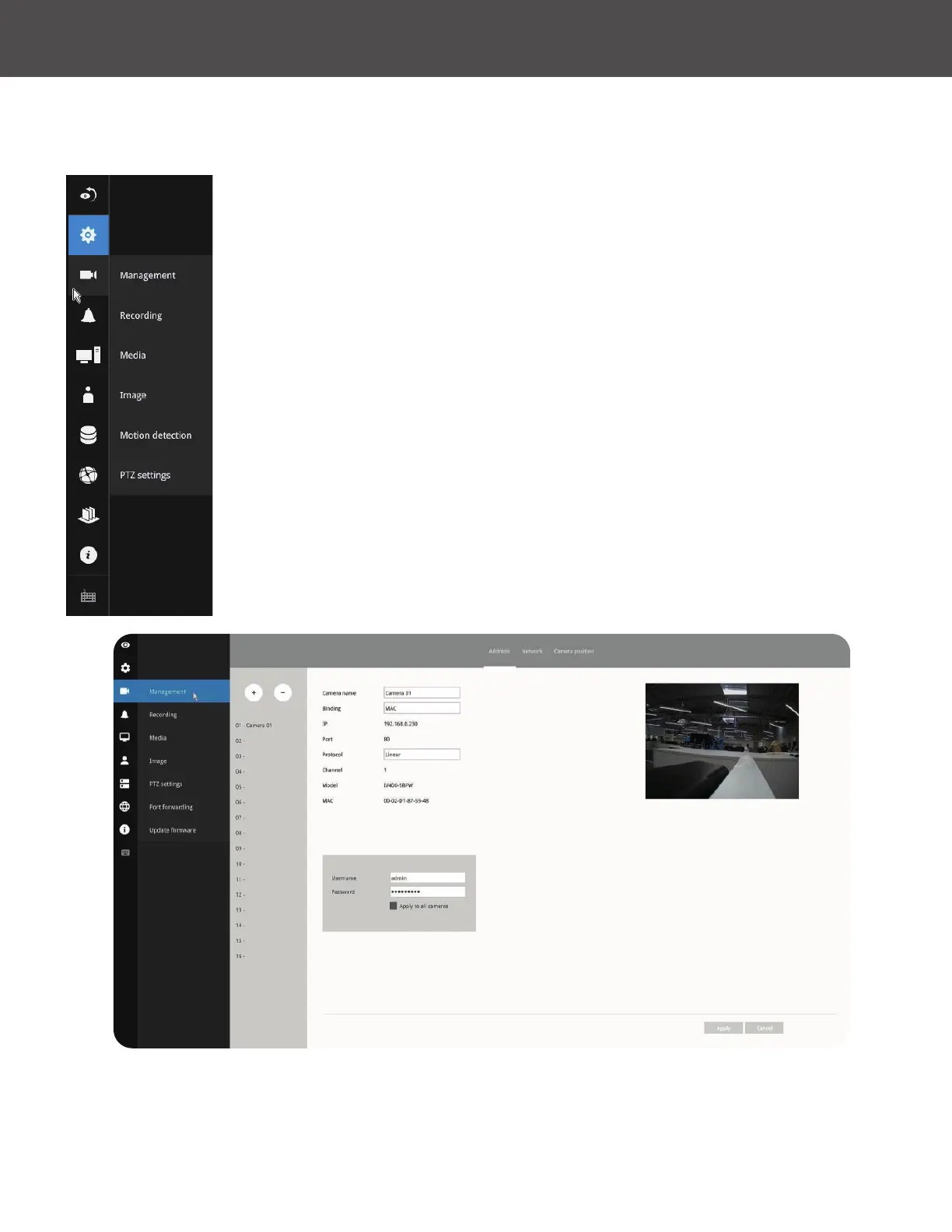
On the camera Management page, you can congure the following:
1� Recruit or disband cameras�
2� Create a camera name�
3� Binding: Designate how a camera is recognized� The default is MAC
binding� The NVR recognizes a camera by its MAC address regardless of
IP changes� If set to IP binding, static IP setting is preferred� If IP changes
occur, the NVR may not be able to access the cameras�
4� Protocol: Linear cameras will default to the Linear protocol� ONVIF can be
used to other cameras and RTSP for older non ONVIF cameras�
5� Assign User name and Password or apply the credentials to all cameras in
your conguration�
6� Change the Network settings�
7� Change the cameras' positions on the layout screen�
The Camera menu provides access to Management, Recording, Media, Image, Motion
detection and PTZ settings pages�
3-5-2� Settings
-
Camera
-
Management
For camera name, you can enter up to 64 alphabetic and numeric characters including [0-9]
[a-z][A-Z][_][-][ ]� For user name and password, you can enter up to 64 alphabetic and numeric
characters including [0-9][a-z][A-Z][!][$][%][-][�][@][''][~]�



 To Next Page