149
Smart Surveillance
5-1-3� Audio
Audio is only transmitted through the camera in a view cell that is currently selected� You can
manually tune the volume level, mute or unmute the audio feed through a view cell�
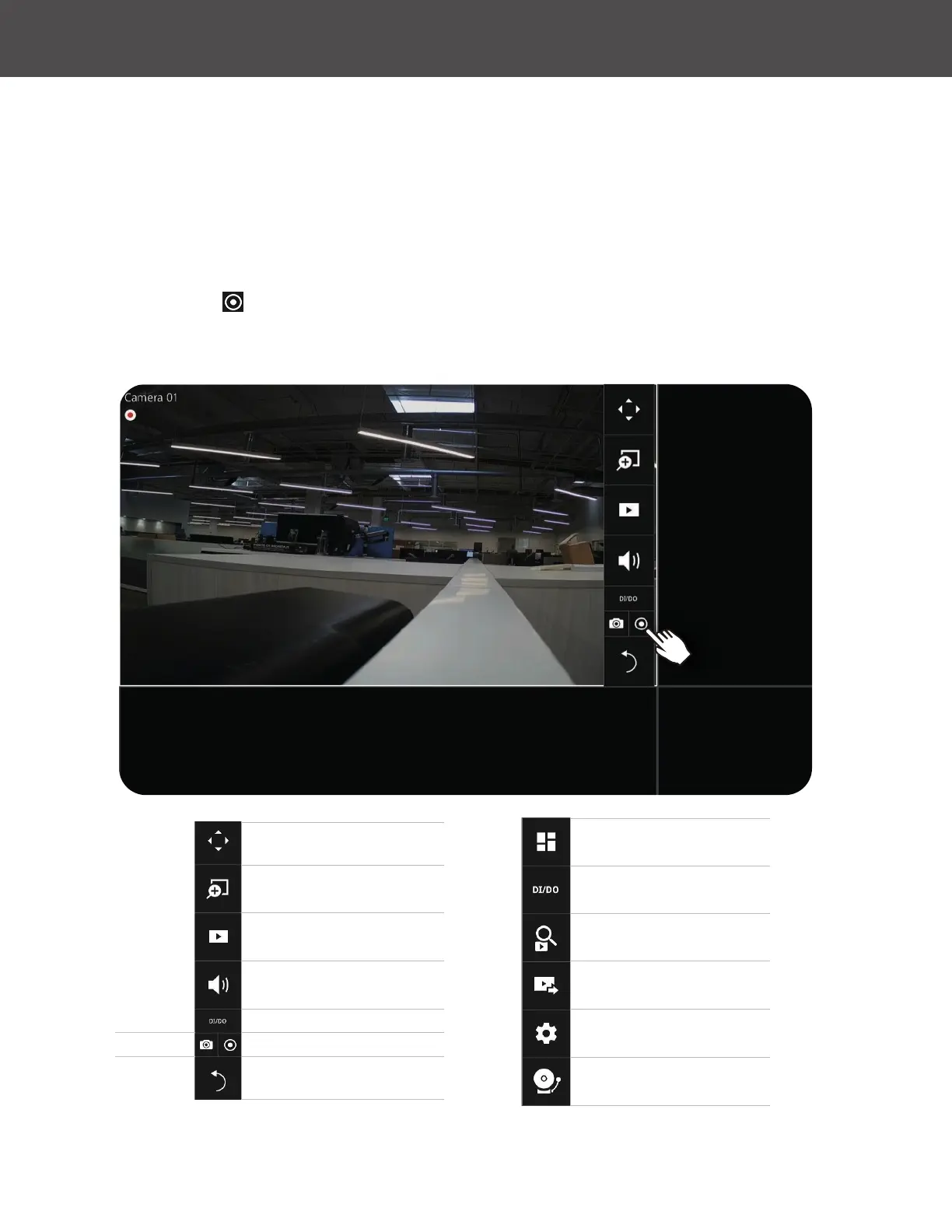
5-1-4� Camera Properties and Controls
Click on a camera to view the camera control properties on the right side of the screen� Here
you can nd a description of the camera name, address, model name, resolution, codec and
frame rate�
For a camera that is not performing a continuous recording, you can click on the Manual
Recording button
to start a manual recording� Press it again to stop recording�
You can also manually turn on the digital output� For example, triggering an external alarm that
is connected to a specic camera�
Layout and Rotation
DI, DO
Search
Export Recordings
Settings
Stop Buzzer
PTZ: Pivot/Tilt/Zoom
Digital Zoom
Play Recording Clips
Audio
DI, DO
Manual Recording
Back to deselect Camera
Snapshot



 To Next Page