84
3-4� Export recordings
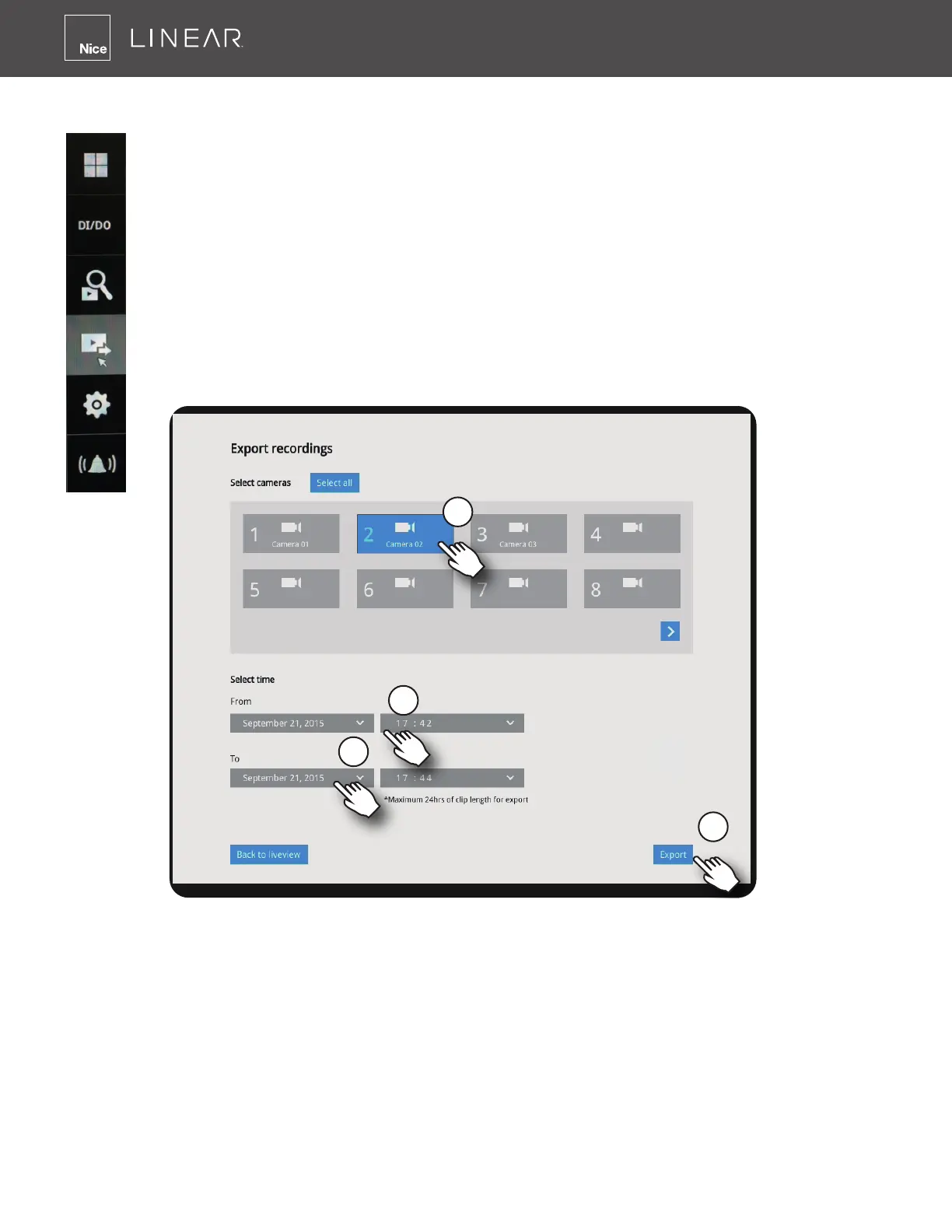
The Export Recordings button allows users to directly select a piece of recordings
by a specic camera, and export that to a USB thumb drive� Users can select one or
multiple cameras, select a period of time in which the recording took place and then
click Export�
The maximum length of recording export is 24 hours�
To export recordings:
1� Attach a USB thumb drive formatted in FAT format to the NVR's USB port�
2� Select one or multiple cameras from the list�
3� Select the start time of the period of recording time�
4� Select the end time of the period of recording time�
5� Click the Export button�



 To Next Page