32
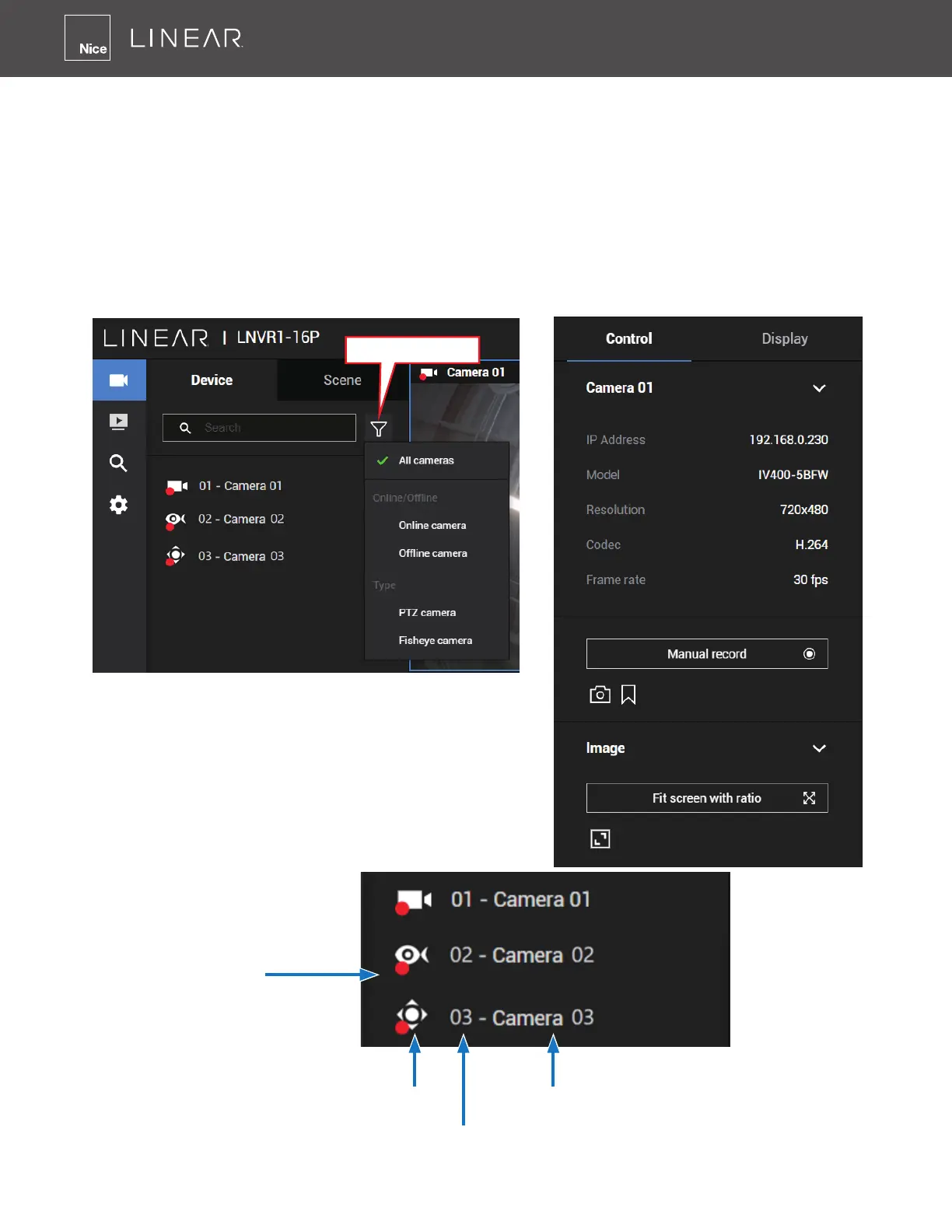
1-2-1� Camera List Panel
The Device list displays the recruited cameras by the sequential numbering order you congured
in the System Settings utility�
If a user has logged in using a credential of a limited access, he may only see cameras accessible
instead of all of the cameras�
Camera Icon:
A mouse click on the camera name on the Device list brings forth the summary of IP address,
model name, recording setup, DI/DO information and other control elements on the right pane�
Sorting Type
Once devices are added to the NVR, they will be
listed� The device type will be automatically detected�
Different types of devices will be given different types
of device icons�
Recording in
progress
Camera Type Icon
Device Index
Device Name



 To Next Page