136
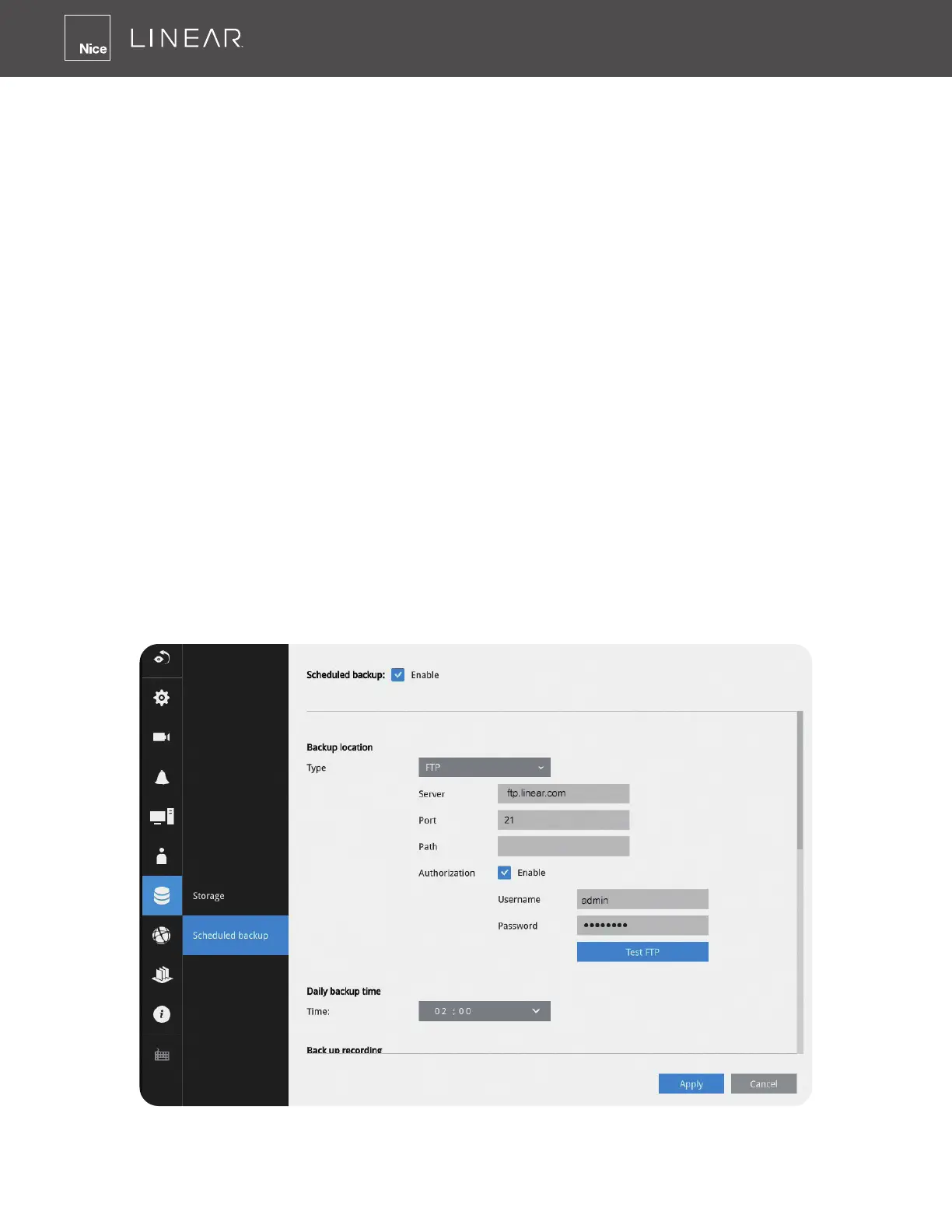
3-5-19� Settings - Storage - Scheduled backup
Enable: Default is not selected� The scheduled backup function is not enabled by default� You
must click to enable the conguration options�
Type: Currently the NVR supports the backup to an FTP server� Enter the Static IP, domain name
and other parameters for access to an FTP server�
Site: The fully qualied domain name of a network host or its IP address� The maximum length is
253 characters� Note that hyphen “-” cannot be used at the beginning or the end of the address�
Port: The port that the remote FTP server listens on� The default ports (which are the most
commonly used) are 21 for standard FTP and explicit FTPS, 990 for implicit FTPS and 22 for SFTP
via SSH� If necessary, change the port number� The range is 1 ~ 65535�
Path: The path is effectively a path name of a resource and corresponds to a series of FTP
commands, such as a directory tree:”ftp://NAME:PASSWORD@COMPANY�com”� The applicable
alpha-numeric characters are [0-9][a-z][A-Z][-][/][_], with a maximum length of 64 characters� If not
specied, destination will be the root directory�
Authorization: Click to enter user name and password for the FTP site� Click the Test FTP button
to test a connection with the FTP server� The applicable alpha-numeric characters are [0-9][a-z][A-Z]
[-], with a maximum length of 64 characters�
Daily backup time: Default is 2:00 AM� Click to reveal the pull-down menu to specify a time when
the daily backup will take place, such as that system can perform the backup in the off-ofce
hours when network load is lower�
Backup Recording: Select the recording cameras each by a single click� The recorded videos
from the selected cameras will be backed up according to your conguration�



 To Next Page