129
Smart Surveillance
3-5-18� Settings - Storage
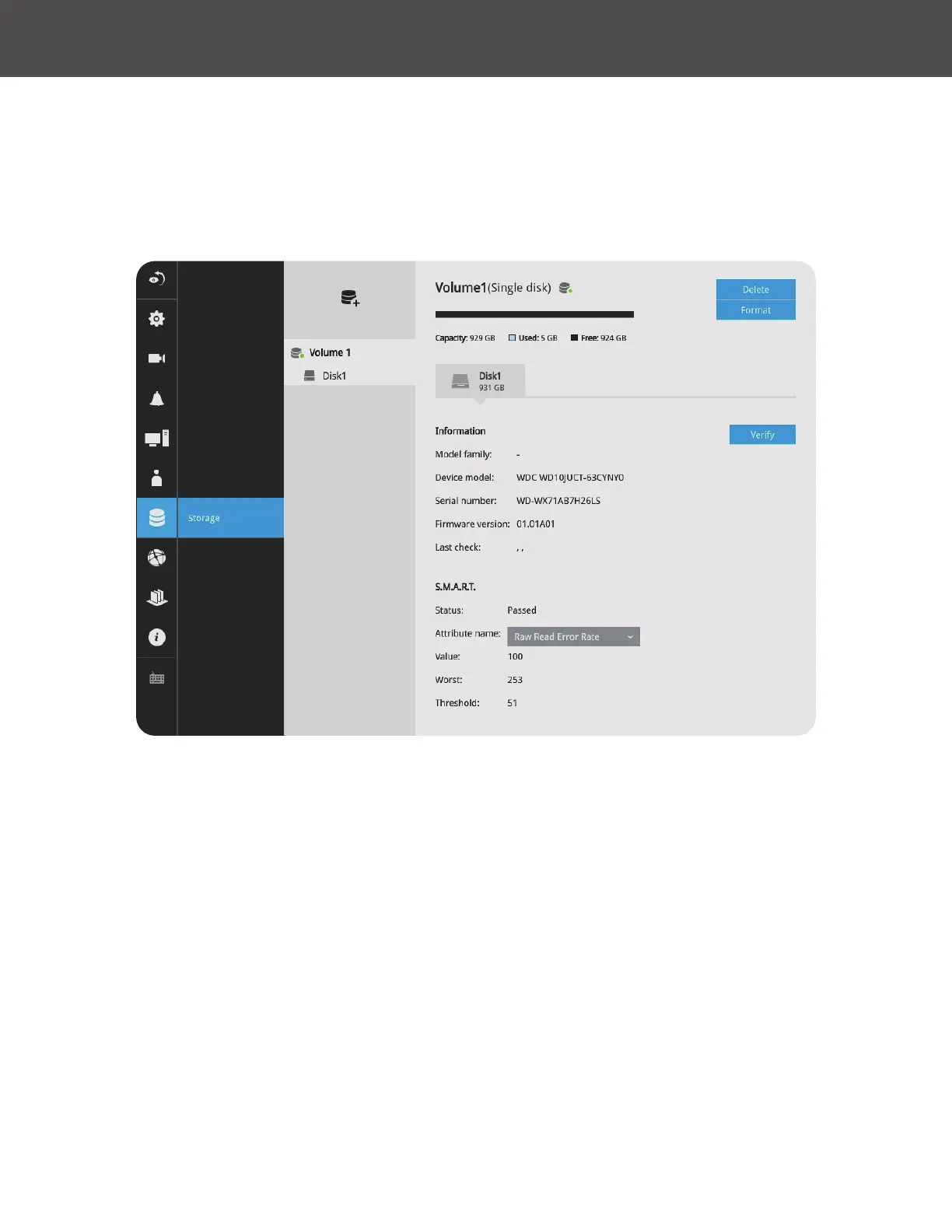
The storage page displays the volume information including physical position, total capacity,
used and free space and associated commands such as Format and Delete� Since each volume
contains only 1 hard drive, detailed information about the hard drive is also displayed on this page�
You can format an existing storage volume in situations such as when you need to re-deploy the
system elsewhere�
Disk Information:
Model family: The brand name of the HDD manufacturer�
Device model: The disk model name�
Serial number: Serial number assigned to the disk drive�
Firmware version: The version of rmware running on this disk drive�
Last check: The bad block check or S�M�A�R�T� test previously executed on this drive�
Status: S�M�A�R�T� status polled from the disk drive� This is not the results from a manually-
executed S�M�A�R�T� test�



 To Next Page