120
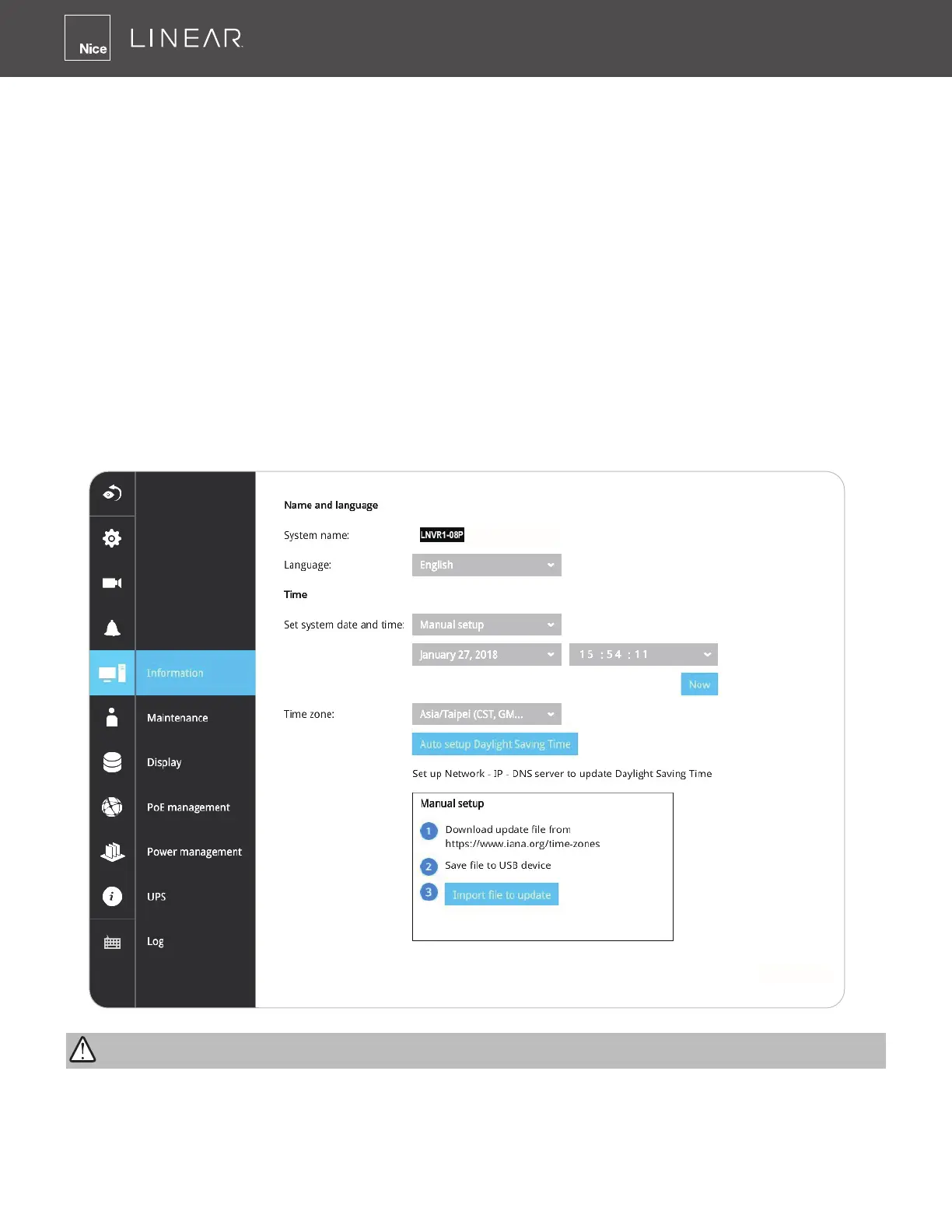
3-5-12� Settings - System
-
Information
On this window, you can congure the following:
1� Change the system name� Using a name in different languages is supported via a web console�
2� Select the UI text language�
3� Congure system time, the time zone, and if you are connected to a DNS server where Auto
Daylight Saving time can be applied, you can acquire the associated setting from a server
within your network� You can use the Auto Setup button to automatically update the daylight
saving conguration� A system reboot is required� You can also manually update the daylight
saving prole in the GZ format using the Import File button below�
4� Click the Apply button for the conguration to take effect�
Note that if NTP time server conguration (Auto) is preferred, the system will automatically
congure all cameras to be listening to the system, and therefore to the same time server�
Changing system time can produce disruptions to the existing recordings� Turning the current
system time back to a time when video recording was taking place can generate duplicate les�
And those les may not be playable�
IMPORTANT:



 To Next Page