154
5-2-3� Synchronous Playback
The NVR supports synchronous playback, which allows you to review video clips from up to four
(4) cameras at the same time� These video clips will be retrieved simultaneously all playing for a
specic point in time�
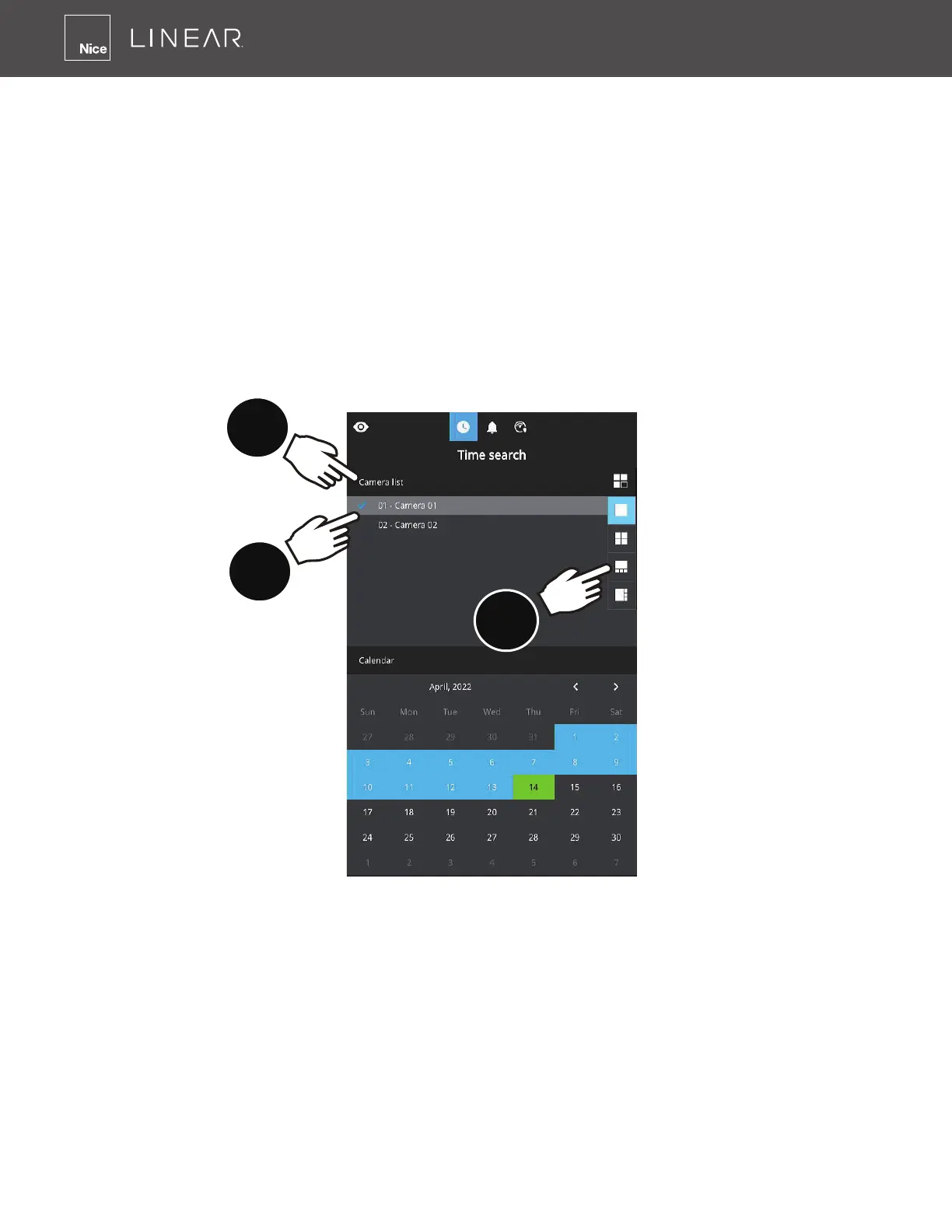
To perform synchronous playback:
1� Select a layout from the Layout panel�
2� Select up to four cameras from the camera list�
3� Select a camera to be the master and select the playback date�
4� Click on the Time Align button�
1
2
3
Note the following when using the Synchronous playback:
1� Only the alarms triggered on the Master camera will be shown� In the Synchronous mode, you
can not nd the alarms or bookmarks generated for other cameras�
2� The playback speed, selection of video clips and alarm playback of all cameras are made
synchronous�



 To Next Page