88
Note the following when using RTSP connections:
1� RTSP cameras do not support event recording in the Schedule settings�
2� RTSP cameras do not support FTP, Camera DO and PTZ as the Alarm action�
3� RTSP cameras do not support camera's related settings such as Network, Video, Audio and
Display congurations�
4� RTSP cameras will be indicated by an RTSP tag in the device list�
5� RTSP cameras do not support Motion detection conguration�
6� RTSP cameras can not be selected as an alarm trigger�
For legacy cameras, the NVR supports RTSP connections�
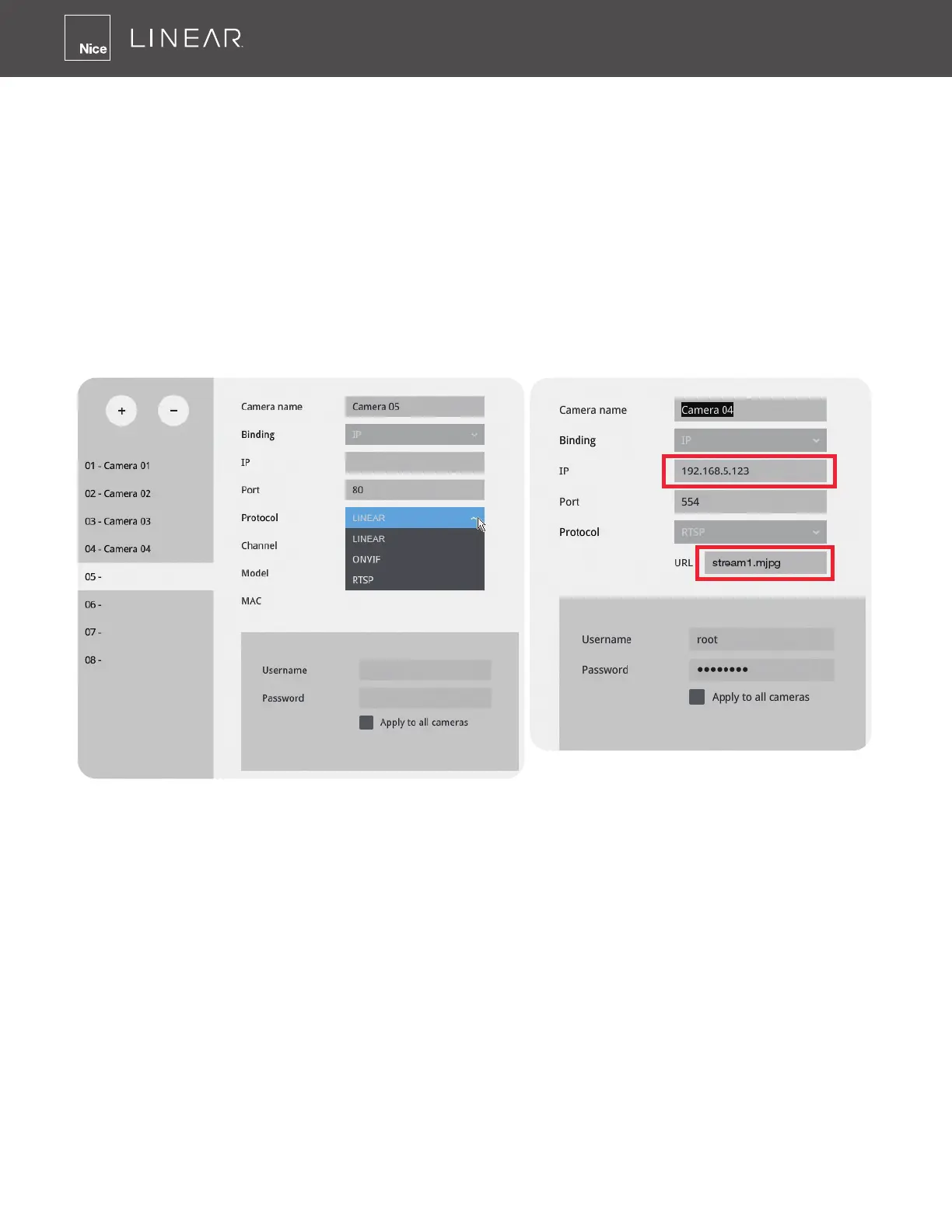
To manually add a legacy camera,
1� Select an empty camera entry,
2� Click the Add button,
3� Select RTSP as the protocol�
4� The original rtsp address is: rtsp://<ip address>:<rtsp port>/<access name for stream
1 to 3>� For example, when the access name for stream 1 is set to stream1�mjpg:
rtsp://192�168�5�151:554/stream1�mjpg�
However, you only need to enter IP address and stream name, such as “stream1�mjpg”, in the
URL eld� The system automatically lls in the other parameters�



 To Next Page