44
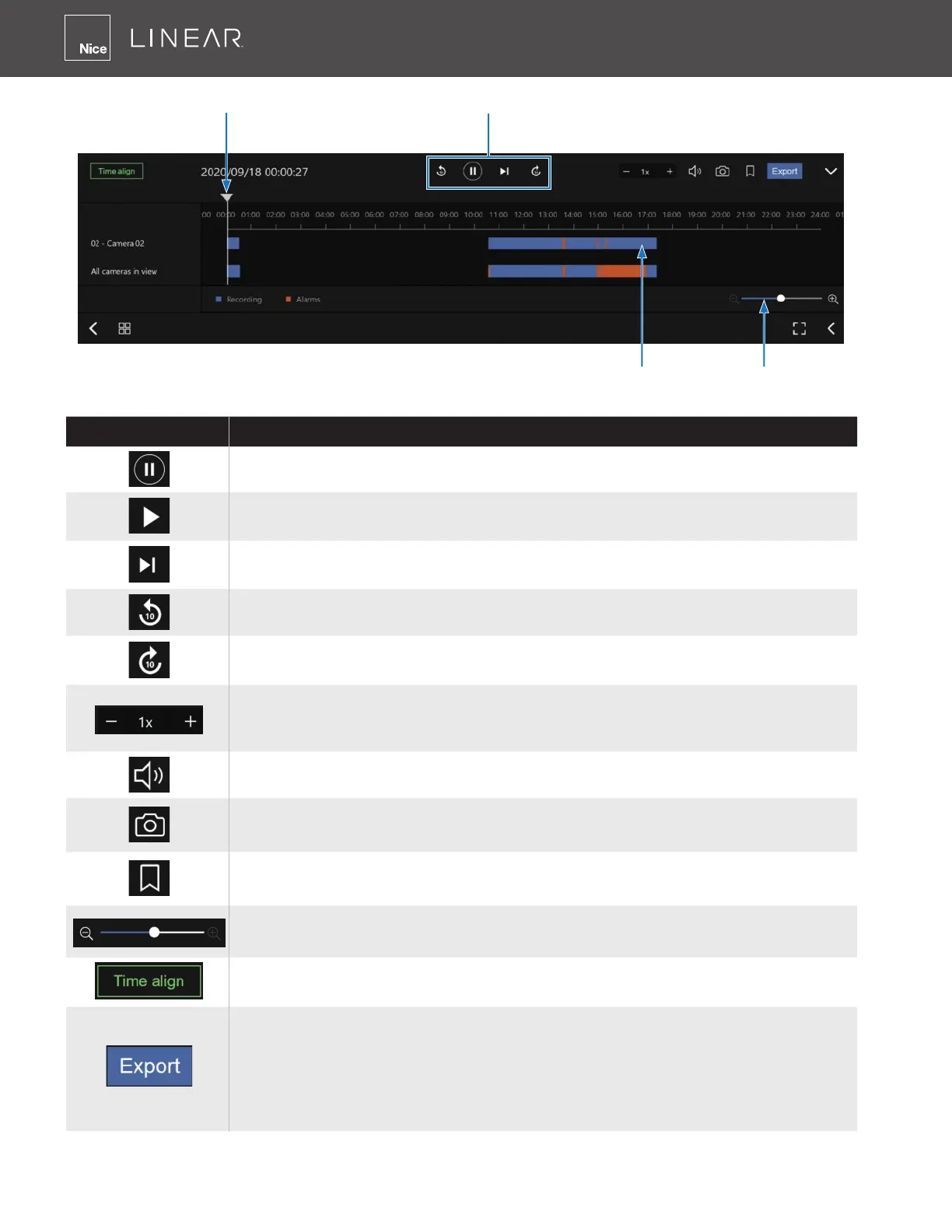
Buttons Description
Pause
Play� This button is available after you manually pause a playback�
Next frame� After you paused a playback, use this button to browse video
frame by frame�
Plays back previous 10 seconds before�
Plays back 10 seconds later�
Speeds up or speeds down� Speeds down by 1/2� The slowest speed is
1/8� Speeds up� Increases the playback speed, to 2x, 4x, 8x, 16x and then
to a maximum of 32x�
Playback volume tuner�
Takes a snapshot of the current playback screen�
Places a bookmark on the current recording�
Timeline zoomer� Use the zoomer to zoom in for more precise
skimming�
Lets the cameras in the scene play the recording of the same time�
When you nd something of your interest, use the Export function to
export a video clip�
Select the length of the video clip using the Start and Stop time menus
below� Depending on the length of clips, an export can take a while to nish�
The default export length is 30 minutes�
Timeline zoom
Timeline slider
Span of existing recording
Control buttons



 To Next Page