61
Smart Surveillance
IMPORTANT:
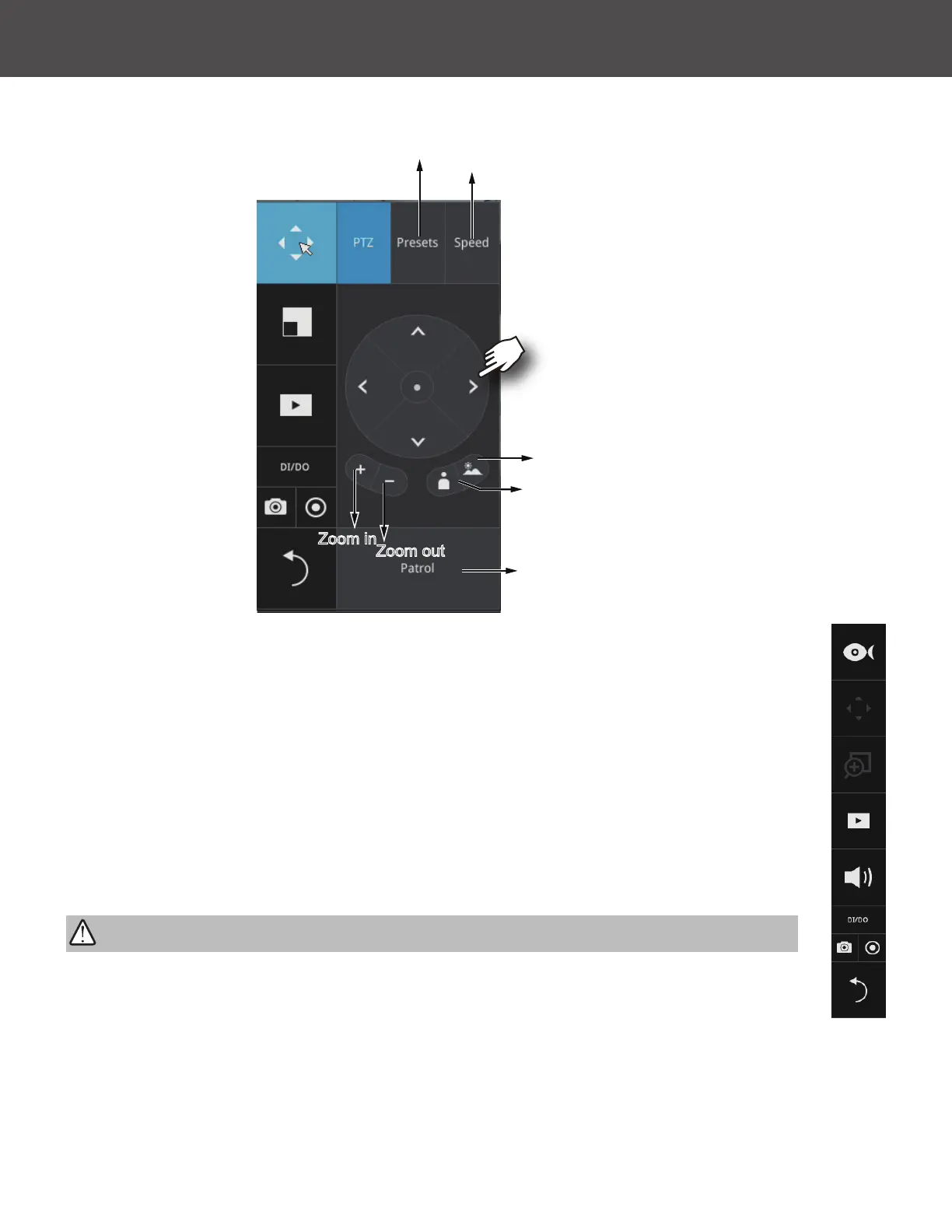
List of preset positions
Focus far
Focus near
Starts patrol
Zoom out
Zoom in
Speed selector
1� PTZ control: Click on the arrow buttons to move towards the direction you wish to
move to�
2� Focus: Click on the Focus near and Focus far buttons to adjust camera focus�
3� Zoom: Use the Zoom in and Zoom out buttons to adjust the camera's zoom ratio�
4� Presets: If you congured preset positions, a list of preset positions will appear�
5� Speed: Adjusts the speed when moving across the eld of view�
6� Patrol: If you congured preset positions into a patrolling tour, click on this button
and the camera will proceed with patrolling through the preset points�
Below is the PTZ panel that appears with ordinary PTZ cameras�
This portal appears with a sheye camera� Since it is for the sheye camera, the PiP
and PTZ buttons will then be disabled�
Due to the limitation of system resources, the sheye dewarp (1R & 1P) can only take
place on one view cell, for one sheye camera�



 To Next Page