94
Recording Schedule
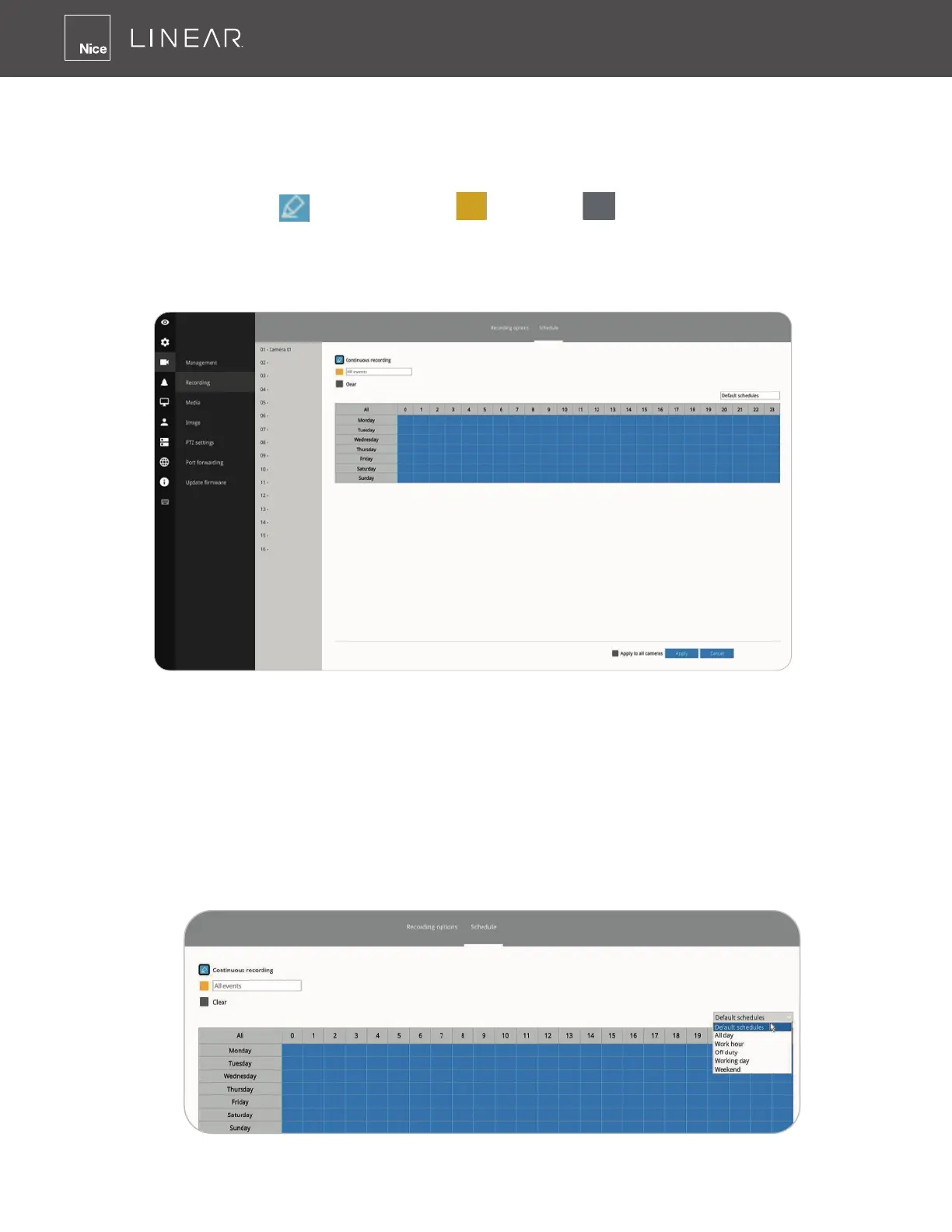
By default, all video feeds from cameras are recorded at all time� You can modify the recording
task using the schedule tool:
1� Click to select a recording condition's checkbox–1�
Continuous recording
, Event recording , and Clear (no recording)�
2� Click and drag the mouse over the cells on the time table� For example, to stop the recording
during a period of time, select the Clear checkbox and move the cursor across the time table�
The minimum unit on the table is half an hour�
1� You may also use the scheduler tool on the right to facilitate the process� You can select a
condition checkbox, and then select the All day, Work hour, Off duty, Working day, Weekend
options to apply a time selection�
2� Repeat the process on individual cameras or select the Apply to all checkbox if the schedule
can apply to all cameras�
3� When done with the conguration, click on the Apply button�
Note that Event-triggered recording and continuous recording can not be taking place at the same
time�



 To Next Page