EasyManua.ls Logo

Nikon D90 - Page 125

Nikon D90
359 pages
Print Icon
To Next Page IconTo Next Page
To Previous Page IconTo Previous Page
Loading...
II
Copying
White
Balance
from
a
Photograph
(d-1-d-4
Only)
Follow
the
steps
below
to
copy a value for
white
balance from a photograph on the
memory
card
to
a selected preset
(d-l-d-4
only). Existing
white
balance values can
not
be copied
to
preset
d-O.
Existing
white
balance values can
not
be copied
to
preset
d-O.
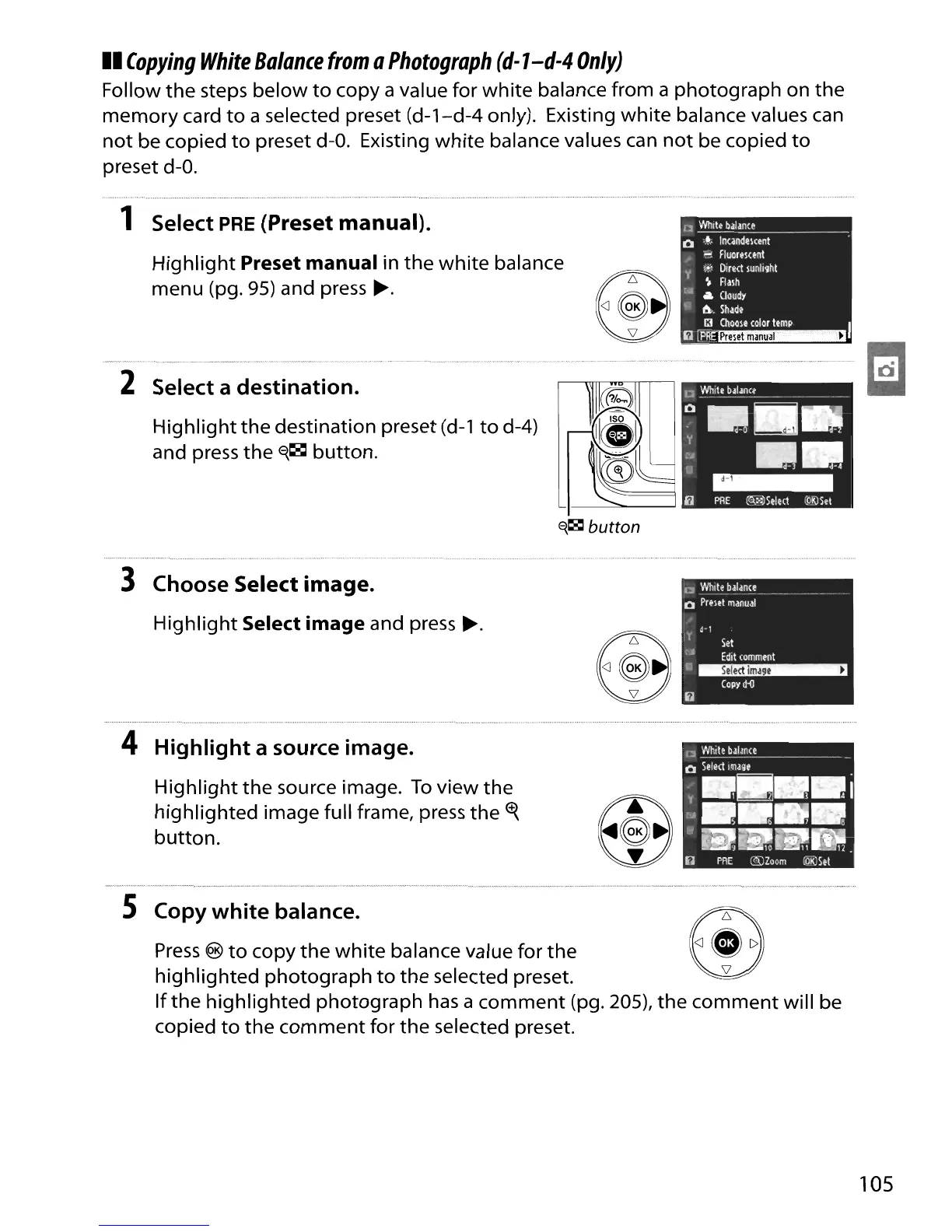
1 Select
PRE
(Preset manual).
Highlight
Preset manual in
the
white
balance
menu (pg.
95)
and press
~.
2 Select a destination.
Highlight
the
destination preset
(d-l
to
d-4)
and press
the
~~
button.
CI
White
balance
Q
'....
IncandElcent
'"!
Fluolemnt
.'
,~~
Dir~ct
sunlight
y
~
Ralh
t.
til.
Goudy
.,.
a..
Shade
13
(hoole
colol
temp.
I
~r~~
3 Choose Select image.
Highlight
Select image and press
~.
E'{~
button
D
WhilE
balance
Q
Prelet
manual
l'
d-I
Set
<.
Edit
comment
a~
COpy
lHl
4 Highlight a source image.
Highlight
the
source image.
To
view the
highlighted image full frame, press
the
~
button.
5 Copy white balance.
Press
®
to
copy
the
white
balance value for
the
highlighted
photograph
to
the
selected preset.
If
the
highlighted
photograph
has
a
comment
(pg. 205),
the
comment
will be
copied
to
the
comment
for
the
selected preset.
105

Table of Contents

Other manuals for Nikon D90

Related product manuals