User Manual N11
Operation
Industrial PC
www.noax.comPage 64 of 120 3085-US-2.4
10.5
Operation and display elements for device types
S15‐G2, S19
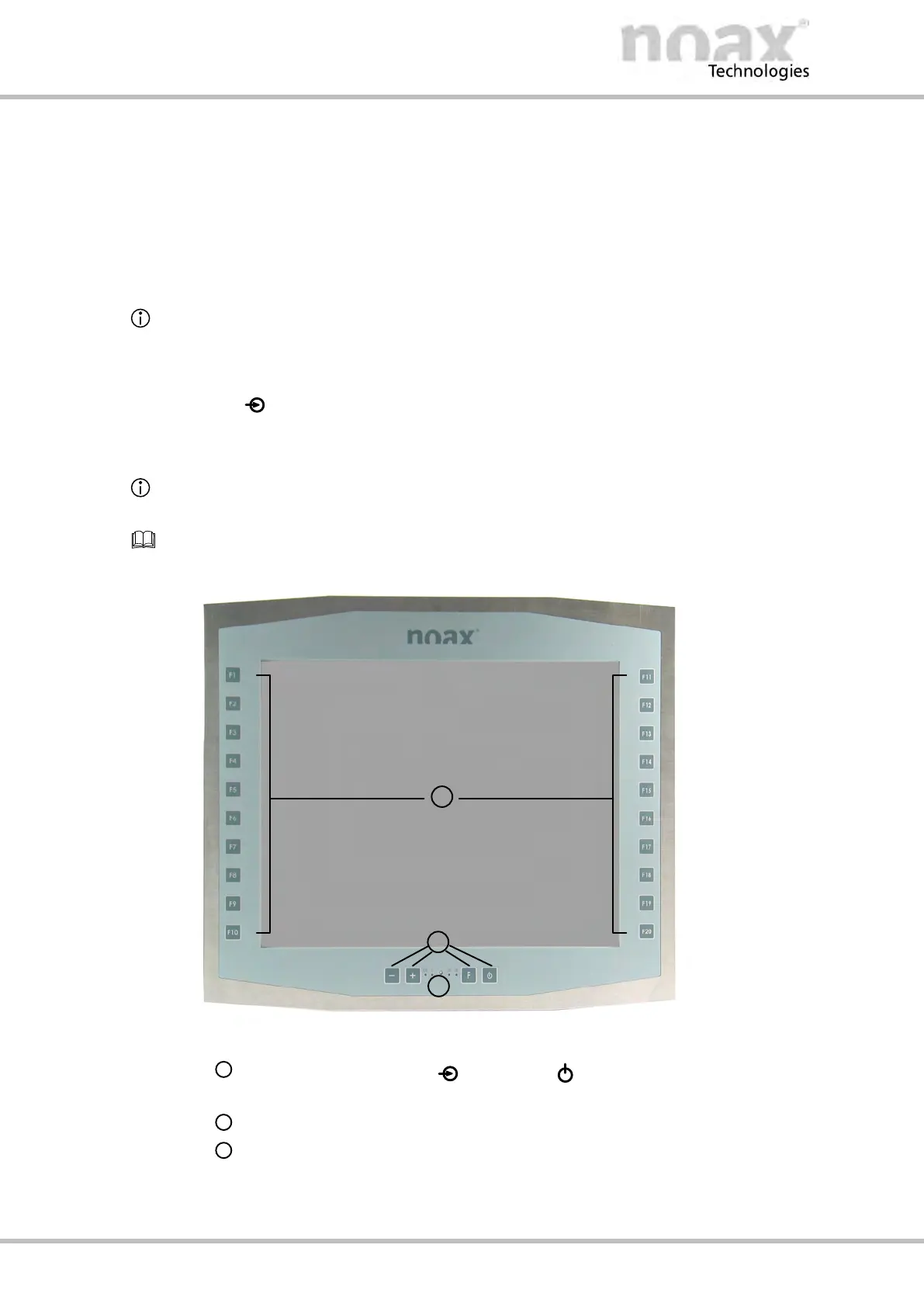
All operation and display elements are located on the front of the housing. The control
panel consists of four keys, four indicator lights (LEDs), and an ambient light sensor
(ALS) at the bottom of the front. The row of keys to the left (F1 to F10) and right (F11 to
F20) of the display can be used as function keys.
The following overview describes the functions as per the factory default settings.
10.5.1 General key information
D The
(Input) LED lights up / flashes when a key is pressed.
D The keys should be pressed as close to the center of their respective symbol as
possible.
Operation and display element functions can be changed, limited, or deactivated using
the nSMART™ software.
Information on the operation and functionality of the nSMART™ software can be found in
Chapter 11.
Fig. 52: Operation and display elements S15‐G2 and S19
LED area for OK, ! (Error), (Input), and (Power),
with the ambient light sensor (ALS) in the center
Button area for device control (Minus, Plus, Function and On/Off)
Function keys to the left (F1 to F10) and right (F11 to F20)



 To Next Page