User Manual N11
Software nSMART™
Industrial PC
3085-US-2.4 www.noax.com Page 79 of 120
11.7 Function “Touch calibration”
This function is not required for devices with a PCAP touchscreen.
The PCAP touchscreen will be calibrated automatically at regular intervals.
This function allows the user to calibrate the accuracy of the touchscreen. This is only
necessary if the touch point on the touchscreen and the trigger point on the display
differ too much.
If you have chosen “USB HID Touch” or “USB HID Mouse” as the output protocol for
the touch data, the touchscreen calibration will be performed via the noax MCU.
If you have chosen “noax Standard (COM4)” or “Thin‐Client (COM4)” as the output
protocol, the touchscreen calibration will be performed via the touch driver tool.
The calibration tool can be started directly from the nSMART™ software in each case.
11.7.1
Calibrating the touchscreen
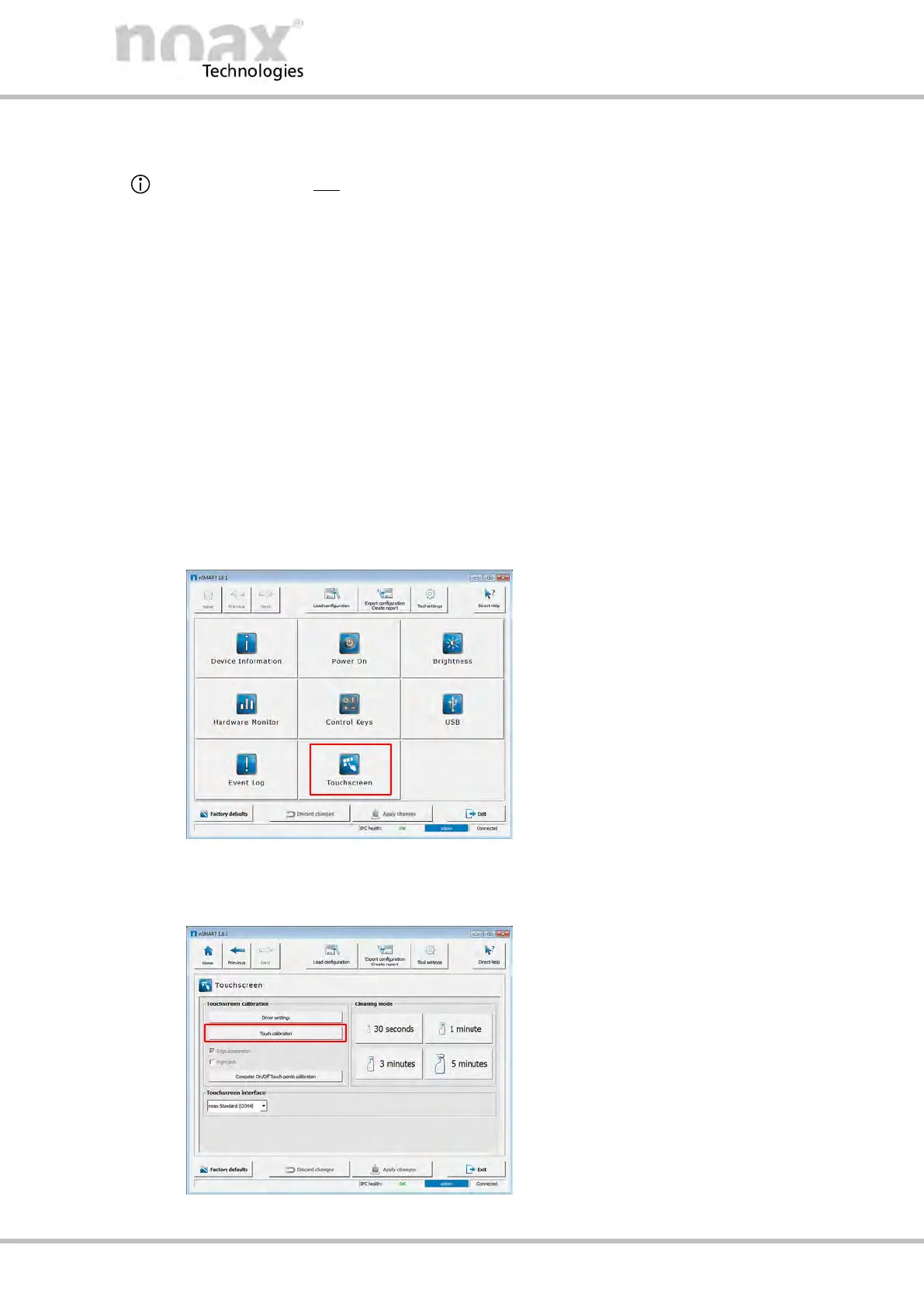
1. To calibrate the touchscreen, launch the nSMART™ software on the device and
click on the touchscreen icon in the overview.
Fig. 67: nSMART overview
2. Click on the Touch calibration button to open the calibration dialog.
Fig. 68: Touchscreen window



 To Next Page