User Manual N11
Software nSMART™
Industrial PC
www.noax.comPage 74 of 120 3085-US-2.4
11.3
Settings with software nSMART™
The various functions controlled by the MCU can be set using the nSMART™ software
that has been specially designed for noax Industrial PCs.
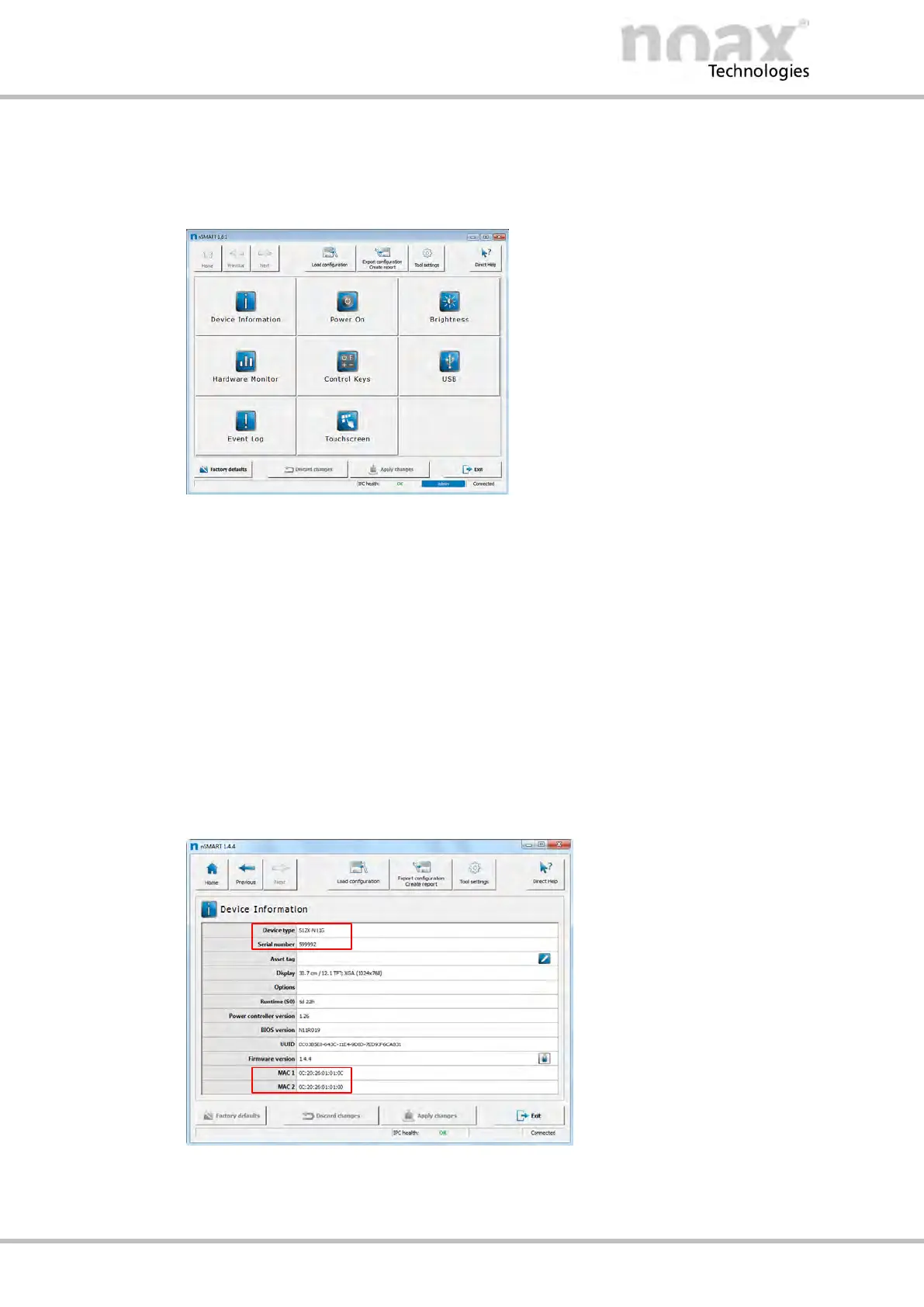
Fig. 54: Software GUI nSMART™
The MCU parameters are clearly laid out and can be easily set thanks to the software
graphical user interface.
D Startup and shutdown functions
D Touchscreen settings, such as the “Touch Power On” function
D Functions for the LEDs and keys on the control panel
D Display brightness
D Configurable function keys
Using the Direct Help button in the top left corner of the program window,
help can be displayed for any of the setting points.
11.4 Device information
Fig. 55: Device information
Important Industrial PC device information, such as the serial number or the MAC
addresses, is displayed on the nSMART™ device information page.



 To Next Page