User Manual N11
Software nSMART™
Industrial PC
www.noax.comPage 78 of 120 3085-US-2.4
2.
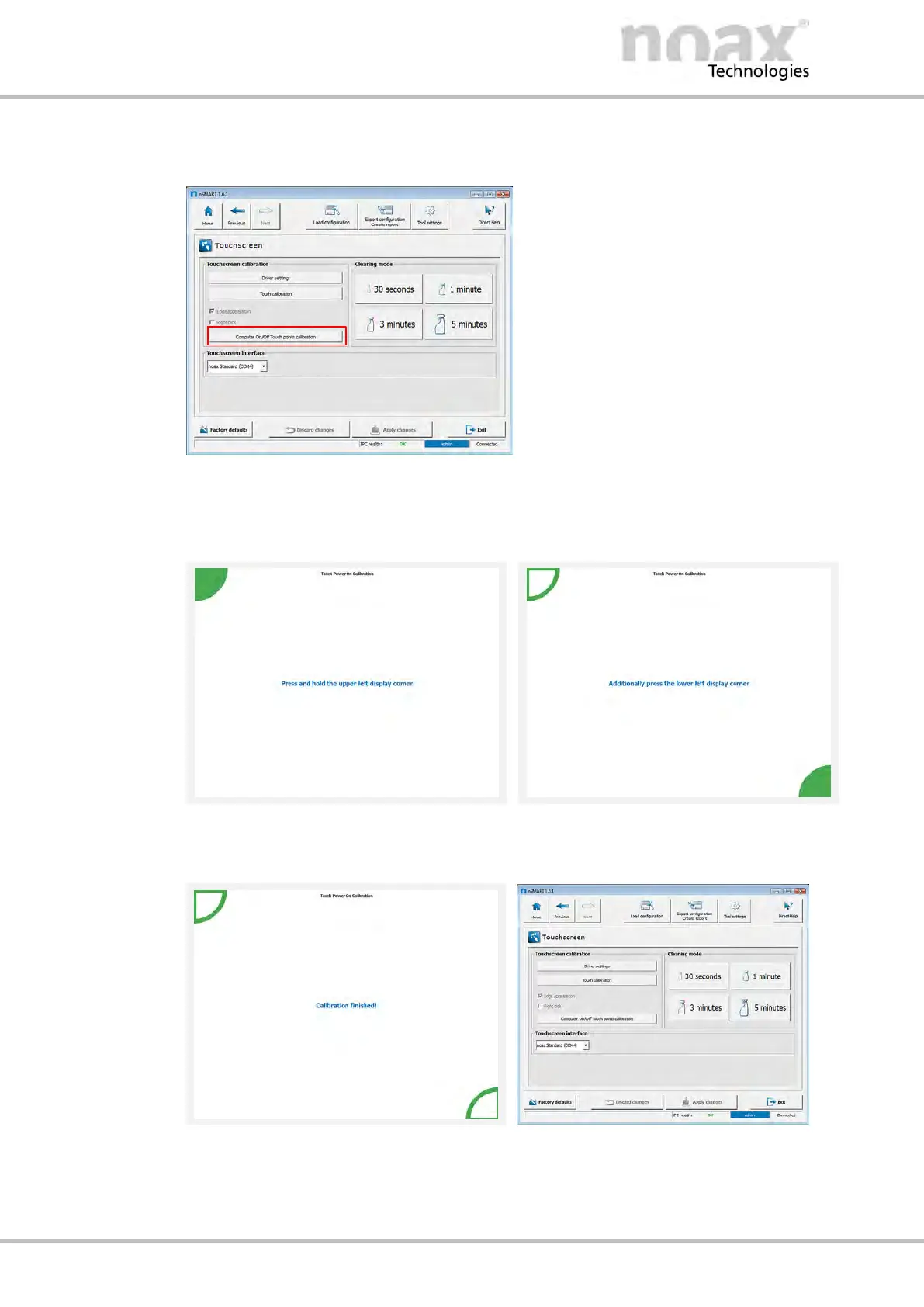
Press the Computer On/Off Touch points calibration button to open the
calibration dialog.
Fig. 62: Touchscreen window
3. Press and hold down the top left corner.
4. Press and hold down the bottom right corner.
Fig. 63: Pressing the top left corner
Fig. 64: Pressing the bottom right corner
5. Calibration is complete. The dialog closes automatically.
Fig. 65: Calibration complete
Fig. 66: Applying changes
6. The touch point calibration will be saved automatically.
7. Click on Exit and close nSMART™.



 To Next Page