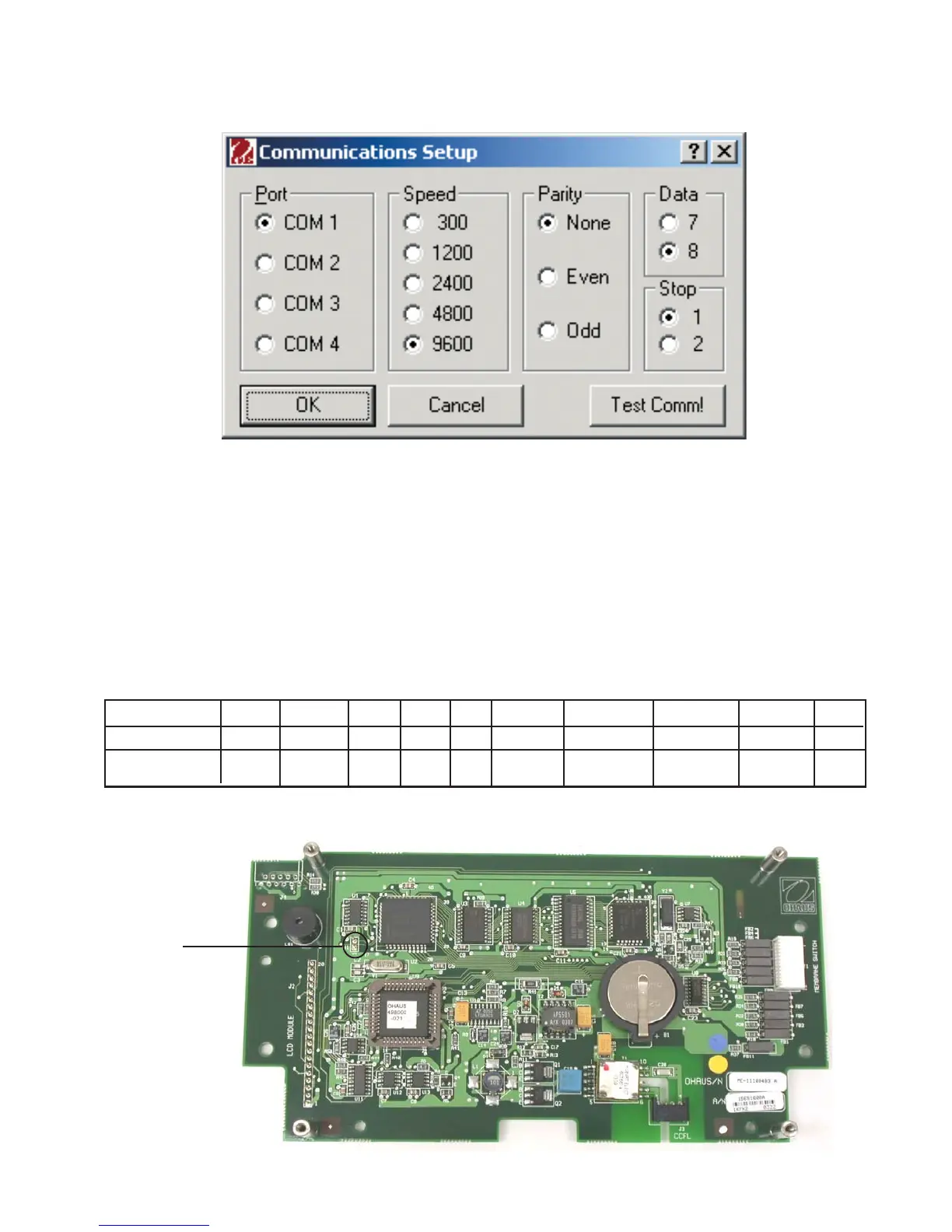
APPENDIX D - REPLACING BOTTOM DISPLAY BOARD
D-3
D.2 Explorer Pro, Voyager and Voyager Pro Display Flash Instructions
(Cont.)
10. Select the balance you are downloading to then click on browse and select the location of the
bank files to be installed.
11. Click on the download button to start the download process. A progress bar will be shown on
your computer and a message on the balance display showing the progress of the download.
12. When complete. Remove and reapply power to the balance. The balance will then display Verify
Flash Bank Checksum… across the top of the display. The following lines will show each bank
followed by –OK! . At the bottom of the display it will show KEY= This allows you to test the
keys individually. The display will be as shown in the table below.
Explorer Models On/Off Menu Print Mode O/T Up Arrow Down Arrow Right Arrow Left Arrow Enter
Voyager Models On/Off Go back Help Print O/T Up Arrow Down Arrow Right Arrow Left Arrow Enter
Display Key = ON/OFF GO BACK HELP PRINT TARE UP DOWN RIGHT LEFT ENTER
13. The procedure is complete. Remove power from the balance and remove the short across the two
pins.
SHORT
THESE PINS













 To Next Page