Chapter 6 Other Functions
181
ENDOSCOPE REPROCESSOR OER-Pro Operation Manual
Automatic Printing setup (Prints the reprocessing records
automatically)
When activate/deactivate the “AUTOMATIC PRINTING”, follow the operations
below.
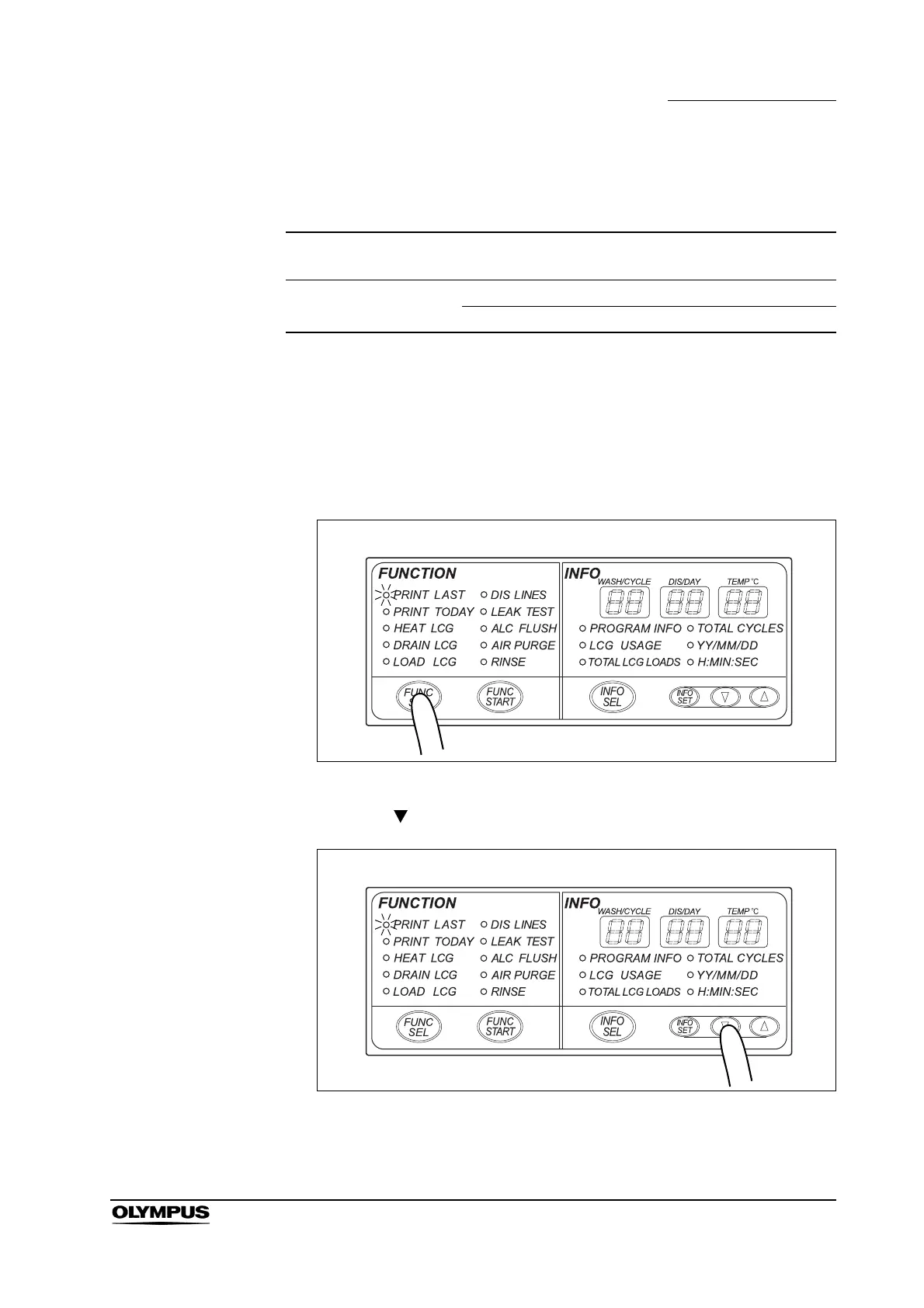
1. Press the FUNC SEL button on the subcontrol panel to select “PRINT
LAST”.
Figure 6.31
2. Press the “ ” button on the subcontrol panel for 5 seconds.
Figure 6.32
Setting item
Setting
option
Explanation
AUTOMATIC PRINTING Activate Activate the Automatic Printing function
Deactivate Deactivate the Automatic Printing function
Table 6.9


 To Next Page