10-7
10 FTP Server
NJ/NX-series CPU Unit Built-in EtherNet/IP Port User’s Manual (W506)
10-4 FTP Server Application
Example
10
10-4 FTP Server Application Example
An example application of the FTP server when the login name is “user1” and the password is “pass-
word” is shown below.
When a general-purpose FTP application is used, you can use a graphical user interface similar
to Explorer to transfer and read files.
Step
1
Make sure that an SD Memory Card is inserted in the CPU Unit and turn ON the power supply
to the Controller.
2
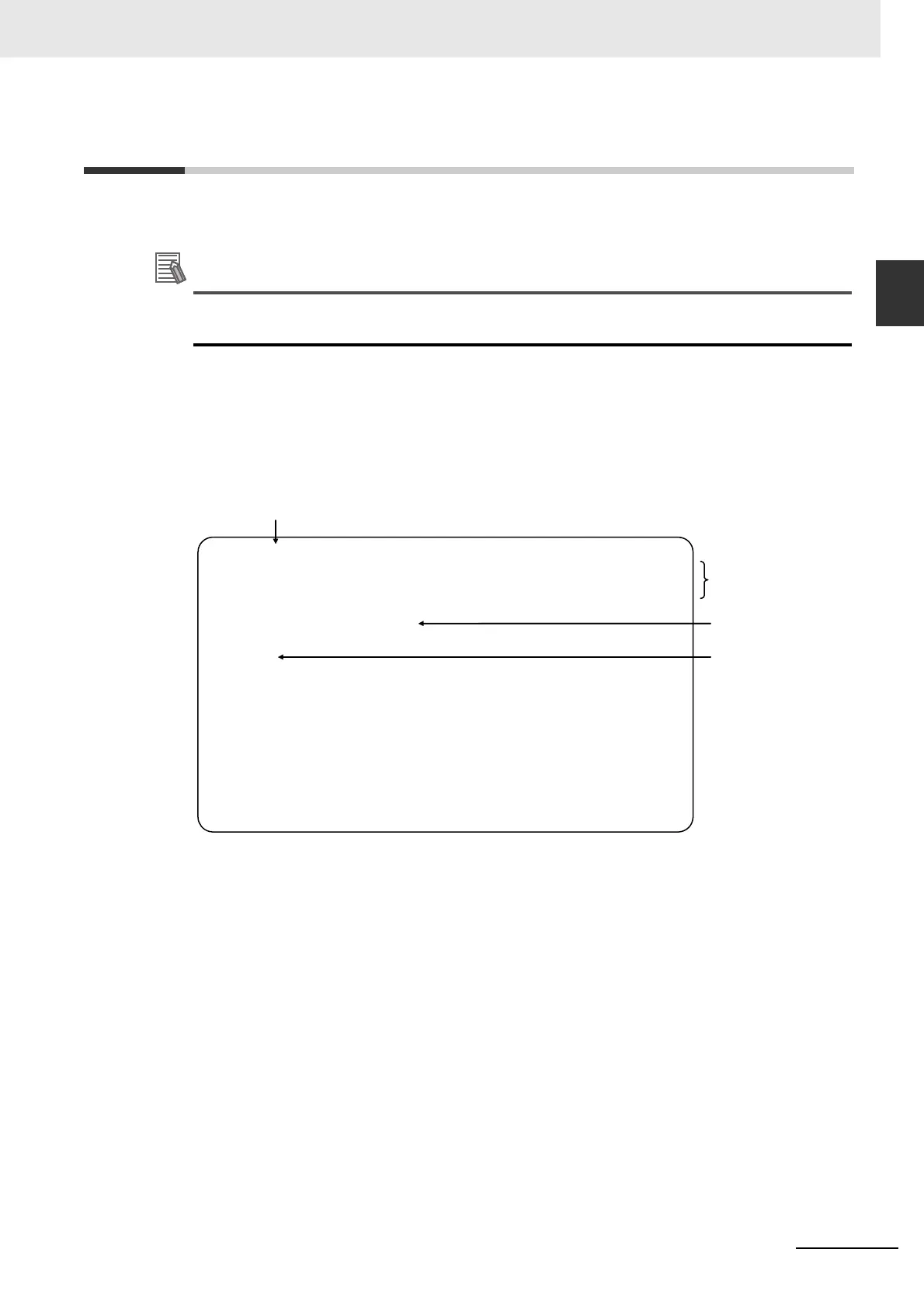
Connect to the FTP server from a computer on the Ethernet by entering the text that is under-
lined in the following diagram.
Password
(hidden)
Login name
Results
IP address of built-in EtherNet/IP port
C:
\
>ftp 192.168.250.1
Connected to 192.168.250.1.
220 NJ501-1500 FTP server ready.
User (192.168.250.1: (none)) : user1
331 Password required for user1.
Password:
230 User user1 logged in.
ftp>
ftp> bye
221-
Data traffic for this session was 0 bytes in 0 files.
Total traffic for this session was 204 bytes in 0 transfers.
221 Thank you for using the FTP service on 192.168.250.1.
C:
\
>













 To Next Page