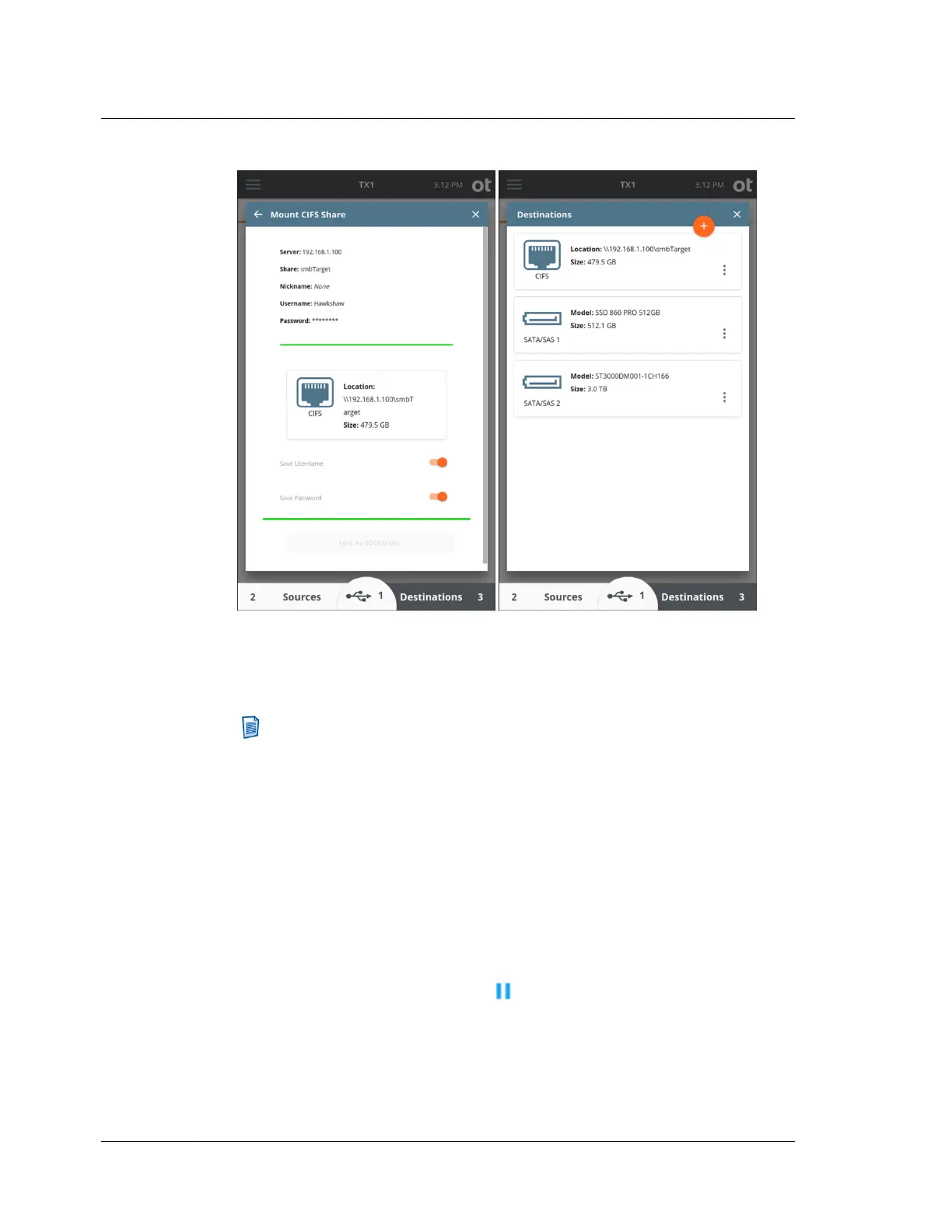
Note that a CIFS share takes the form of a filesystem (not a block device/drive)
so you cannot perform a Clone Duplication to a CIFS share. The Wipe, Blank
Check and Format options are also not available when a CIFS share is selected
as a destination.
Note: The CIFS mounting steps above are shown for the case of a
destination CIFS share. However, the same steps apply to mounting a CIFS
share for use as the source of a logical imaging job, with the only difference
being that the Sources drive list is selected from the bottom of the Home
screen instead of Destinations.
4.3.6 Pausing and resuming a duplication job
In certain situations, significant amounts of imaging time can be saved by being able
to pause and later resume a duplication job. TX1 has you covered, providing the
means to pause and resume imaging jobs with the following output file formats: e01,
ex01, dd, and dmg.
To pause a running duplication job, locate the desired job in the Active Jobs area of
the Jobs tab, simply tap its Pause button , and confirm the desire to pause the
job. The job will be moved to the Recent area with a status of Paused, as shown
below.
Chapter 4 Using TX1
106
OpenText™ Tableau™ Forensic TX1 Imager
ISTX240300-UGD-EN-1



 To Next Page