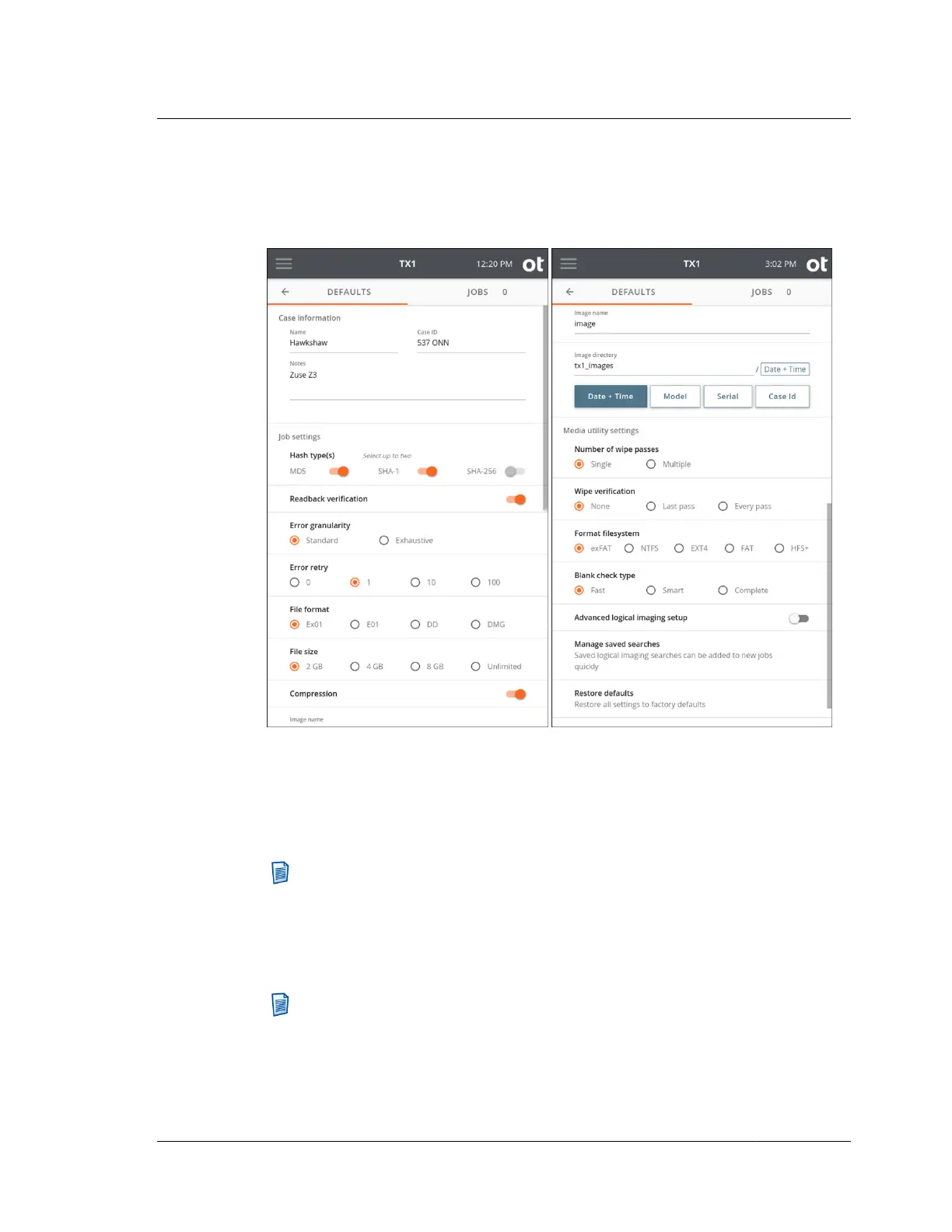
3.2.3 Default settings
Tap Defaults to display the Operations Defaults page.
Several different entry methods are used for the settings on this page, including
direct data entry, sliders, radio buttons, and an Image Directory name builder area.
As shown above, the Date + Time and Model directory path element boxes have
been selected (in that order), so therefore the image directory path is tx1_images/
<Date+Time>.
Note: The Source drive Model number, Serial number, and Case ID are not
used in this example.
Tapping a selected directory path variable box deselects it. Changing the order of
selection changes the order in which each element is incorporated into the image
directory path.
Note: Certain combinations of image directory and image name settings can
result in filename duplication on the destination filesystem for a given job. TX1
checks for this situation at job startup, and, if it detects a file name conflict, it
automatically appends sequential numbers to the subsequent filenames, as
shown in the file browse example below. Though this feature exists, it is
3.2. Configuring TX1
ISTX240300-UGD-EN-1
User Guide
33



 To Next Page