• 10 Gbps: 65,280
Each network device in the end-to-end communication path should use the same
MTU value to achieve optimum and reliable performance. Contact your network
administrator to verify the network configuration.
3.2.2.1 Configuring 802.1X network authentication
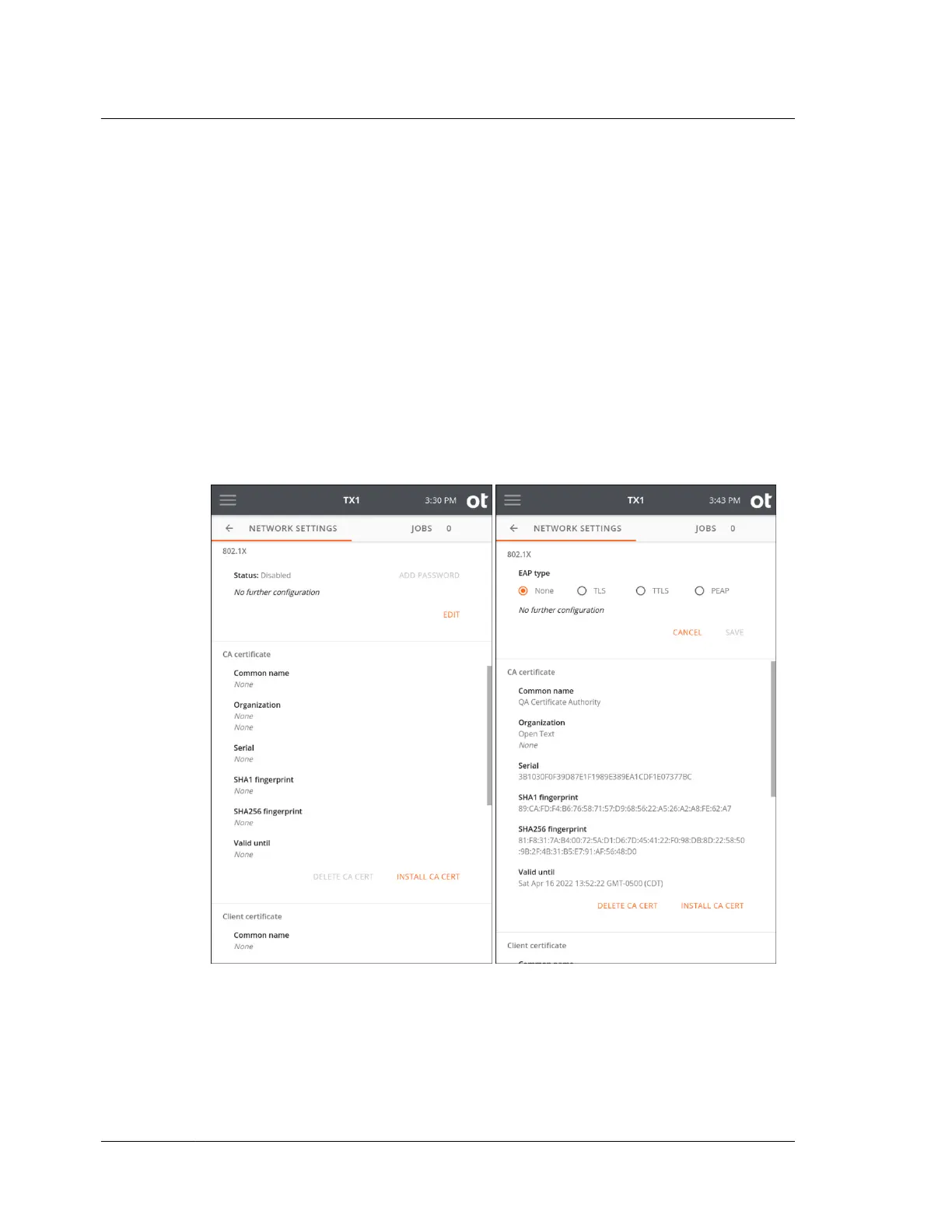
TX1 can be configured to connect to a network using IEEE 802.1X port-based
authentication. This standard is designed to provide greater control over which
physical devices are allowed on a given network, which greatly improves overall
network security. A typical 802.1X network consists of an authentication server
(RADIUS), an authenticator (LAN switch), and supplicants (network client devices).
To begin setting up your TX1 for use on a network with 802.1X authentication, tap
the Edit button in the bottom right of the 802.1X settings area to choose one of the
three EAP types (TLS, TTLS, or PEAP).
Then tap Identity to enter your 802.1X identity (required). Note that each EAP type
has additional requirements and configuration settings depending on the type
selected, as covered in the sections below.
Note that one or more certificates (depending on the EAP type and other settings)
may need to be loaded onto your TX1 before attempting to authenticate on the
Chapter 3 Configuring TX1
28
OpenText™ Tableau™ Forensic TX1 Imager
ISTX240300-UGD-EN-1



 To Next Page