reading back the files from the destination (to pack them into the Lx01 segment
files), all will show as “OK”. If there was an issue while reading the files back,
the job will fail and the offending file will show an “Error” status in the CSV file.
• Matched Rules – For mobile backup acquisition jobs, this will always indicate
“Y” for yes. This field is more pertinent to logical imaging jobs, which use it to
indicate if a given file was part of a targeted/filtered collection.
[image name].log.html/txt - TX1 generates two forensic log file formats for each
job (mobile backup acquisition included) - one in html format and one in text format.
These logs are accessible through the Logs list in the side navigation menu. They can
also be exported to a destination drive/filesystem (local or network based) for
further analysis and/or case documentation purposes.
[image name].Lx01, [image_name].Lx02, ... are the forensic evidence files for the
operation. They contain all the data and metadata for each acquired mobile backup
file and folder.
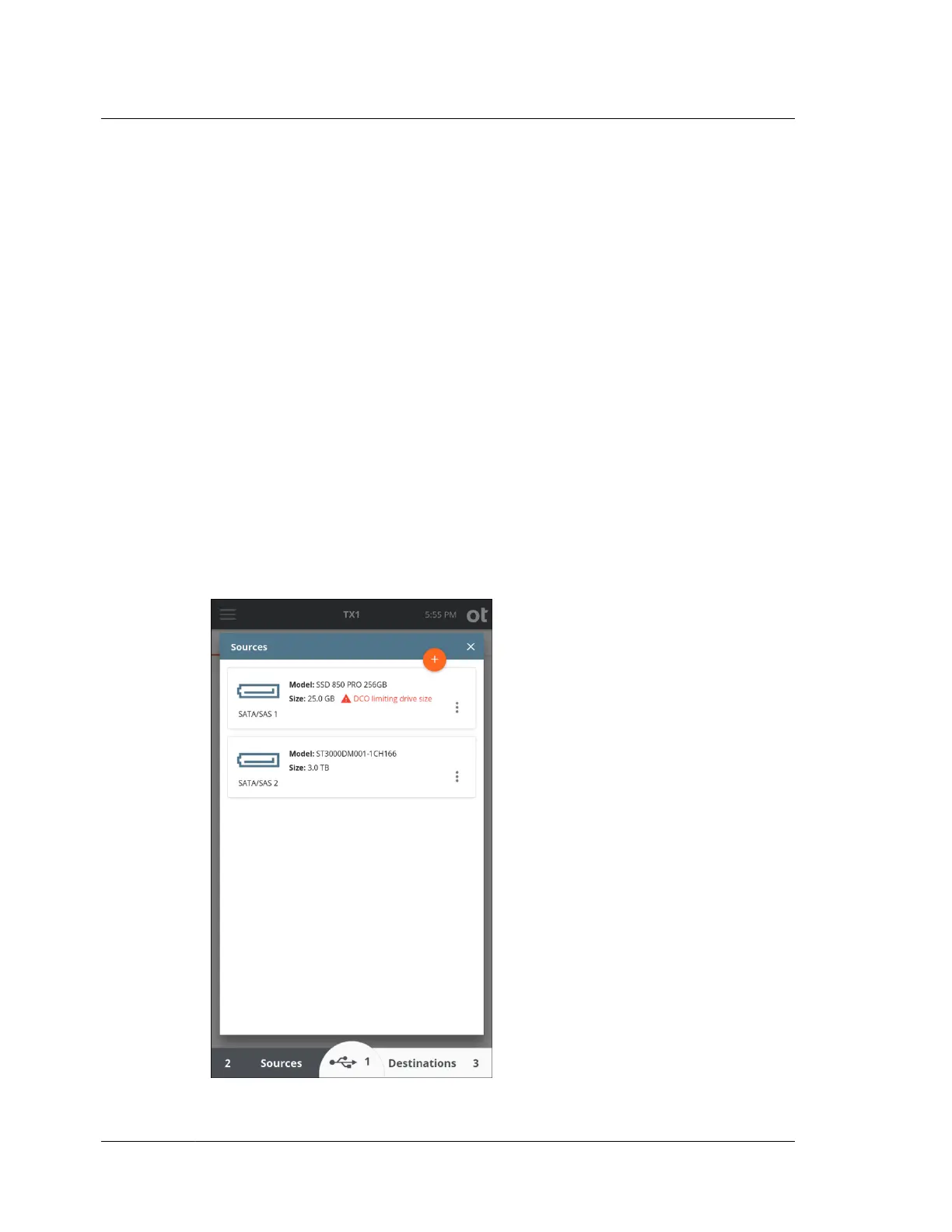
4.10 Viewing sources and destinations
Tap the Sources or Destinations button on the Home screen to display the list of
connected drives.
Chapter 4 Using TX1
168
OpenText™ Tableau™ Forensic TX1 Imager
ISTX240300-UGD-EN-1



 To Next Page