4.3.5 Duplication over a network
The 10‒gigabit Ethernet interface of TX1 enables superior network imaging
performance when combined with a properly configured 10‒gigabit network
infrastructure setup and destination storage server such as a Storage Area Network
(SAN) or Network Attached Storage (NAS) or a Windows or Linux server
configured with an iSCSI target or CIFS share. Duplication/Logical Imaging *from*
network-based iSCSI targets and CIFS shares is also supported.
Note: TX1 must be connected to a network before attempting to mount and use
iSCSI targets or CIFS shares.
4.3.5.1 Adding an iSCSI target
To add an iSCSI target as a source or destination drive:
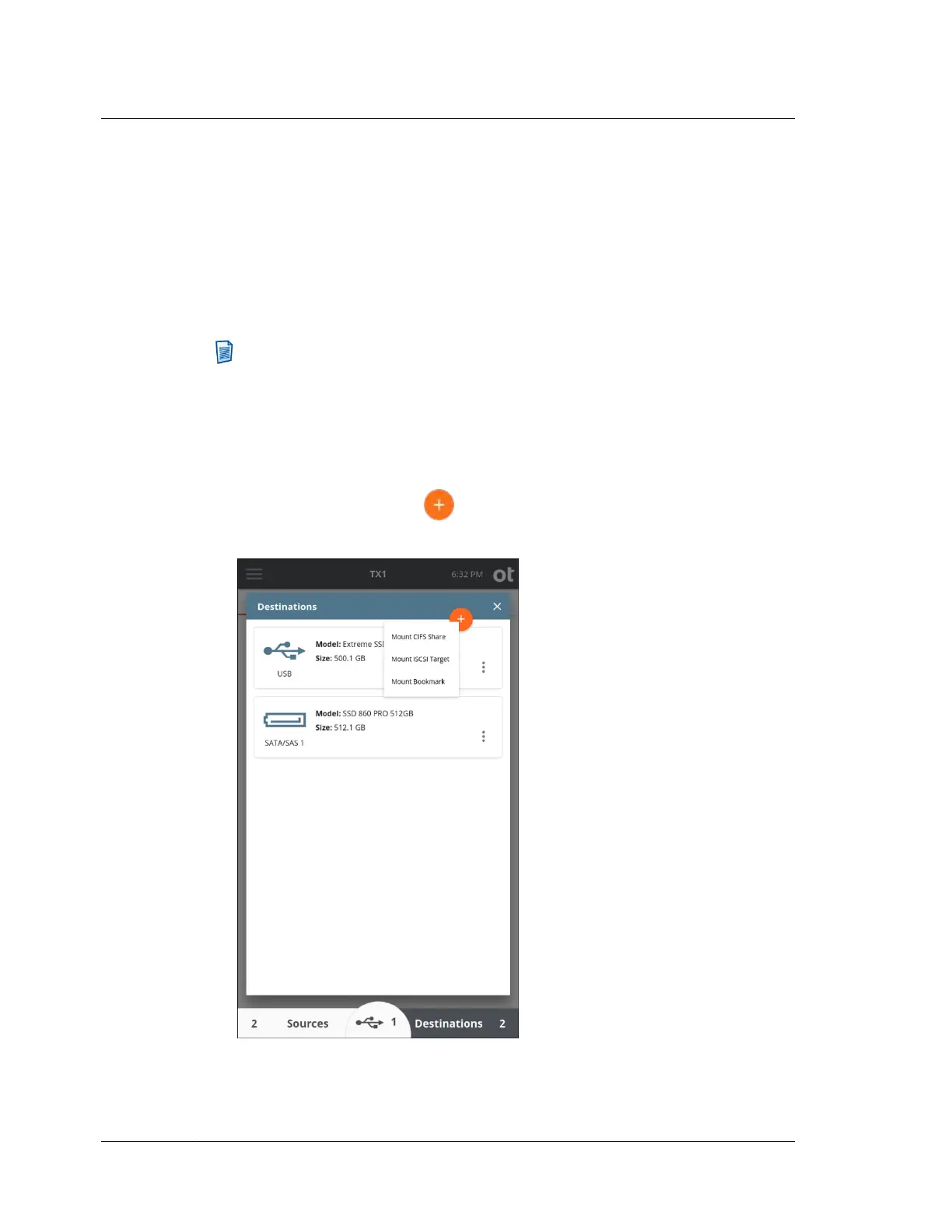
1. Tap the Sources or Destinations button at the bottom of the Home screen. Then
tap the orange plus button in the upper right corner of the drive list and tap
Mount iSCSI Target to display the iSCSI Discovery screen.
Chapter 4 Using TX1
94
OpenText™ Tableau™ Forensic TX1 Imager
ISTX240300-UGD-EN-1



 To Next Page