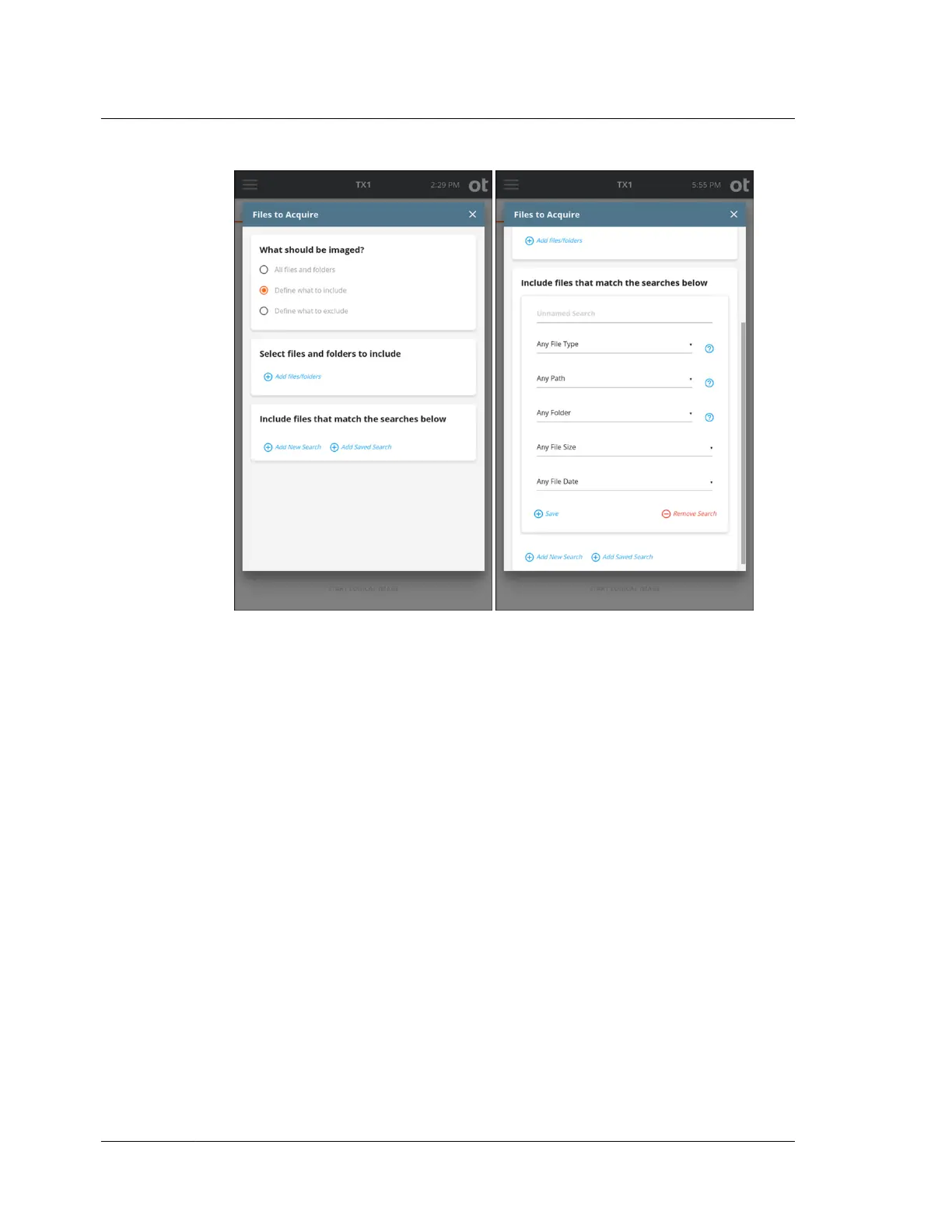
In the example on the right above, we have decided to add a new search using the
Include files that match the searches below function. Again, since we started with
Define what to include in the top selection box, our initial acquisition dataset is
empty. Any configured searches will potentially add to that empty acquisition
dataset.
The file search options are covered in detail in the following sections. Before getting
into those details, here is some general information regarding logical image
searches:
• A search defines parameters for the kinds of files that are of interest to a forensic
investigation. Adding searches will include/exclude every instance of that kind
of file.
• Multiple searches can be configured for a given job (using the Add Search button
at the bottom of the search setup window), but they are logically independent
from each other. This means that if a search gets a hit on a file, it will be added
to/removed from the acquisition dataset even if a subsequent search is
configured to ignore that same kind of file.
• Within a single search box, all the criteria defined must match for a given file to
be included in (or excluded from) the acquisition dataset.
• The first entry in each search setup box provides a name field for the search. The
default name is Unnamed Search. Changing the name to something more
specific may help when reviewing the summary of all searches in the logical
Chapter 4 Using TX1
130
OpenText™ Tableau™ Forensic TX1 Imager
ISTX240300-UGD-EN-1



 To Next Page