SOCT Copernicus PLUS - Service Manual
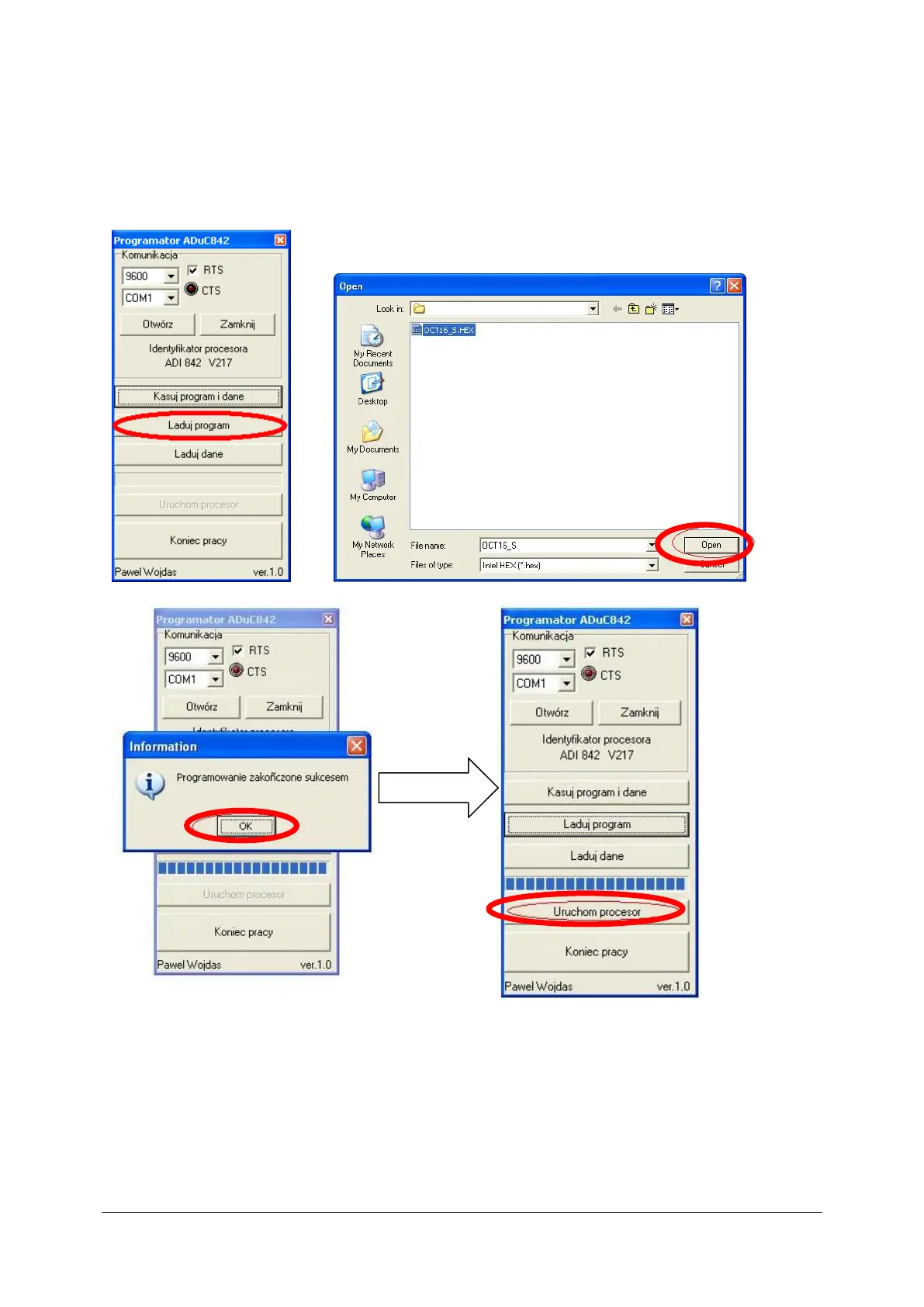
9. Load firmware. Press „Ładuj program” and choose prepared by Optopol .hex file. Software
has to display message which inform about success of programming.
“Programowanie zakończone sukcesem” . Then start the processor, accept proper
work and close the program ”Koniec pracy”.



 To Next Page