SOCT Copernicus PLUS - Service Manual
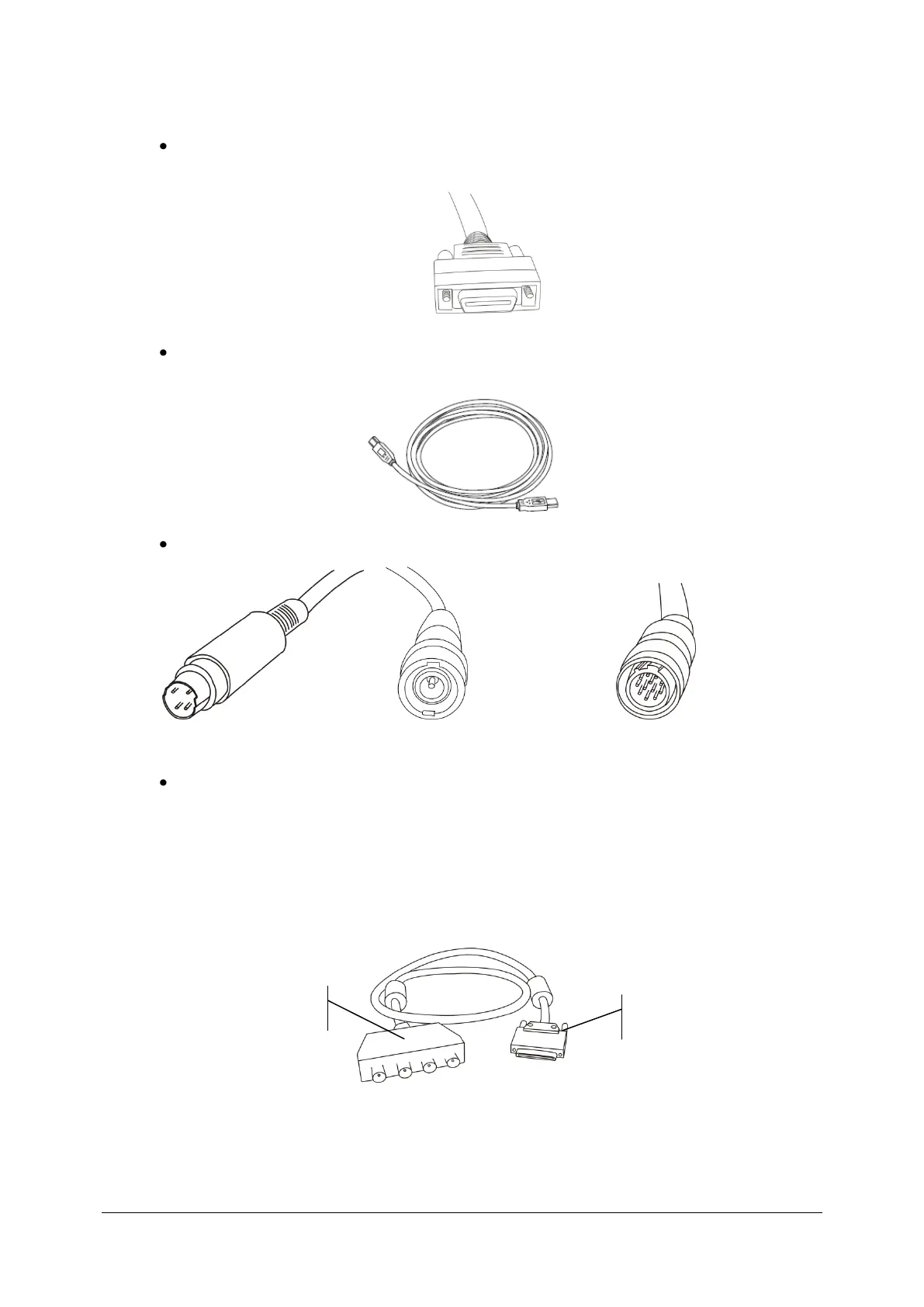
To connect the SOCT Copernicus+ to a computer, you need five cables shipped with the device:
Camera link cable – connected to Copernicus + (not detachable),
USB cables, connect to between Copernicus+ (type B) & PC (type A),
Video/synchro cable connected with one plug
Video (to PC) Synchro (BNC to PC) Video/Synchro to SOCT
Adapter cable. This is a short cable with 4 BNC plugs and VHDC plug on the other side.
Synchro cable shown above should be connected to BNC splitter
(T0 port)
All sockets and plugs are different so it is not possible to connect plugs improperly. Figure
below shows rear panel view of SOCT.
BNC Splitter to
Synchro cable



 To Next Page