17
DP-
8020E/8020P/
8016P
SEP 2006
Ver. 1.0
1.2. Specifications Table
1.2.1. Copy Function
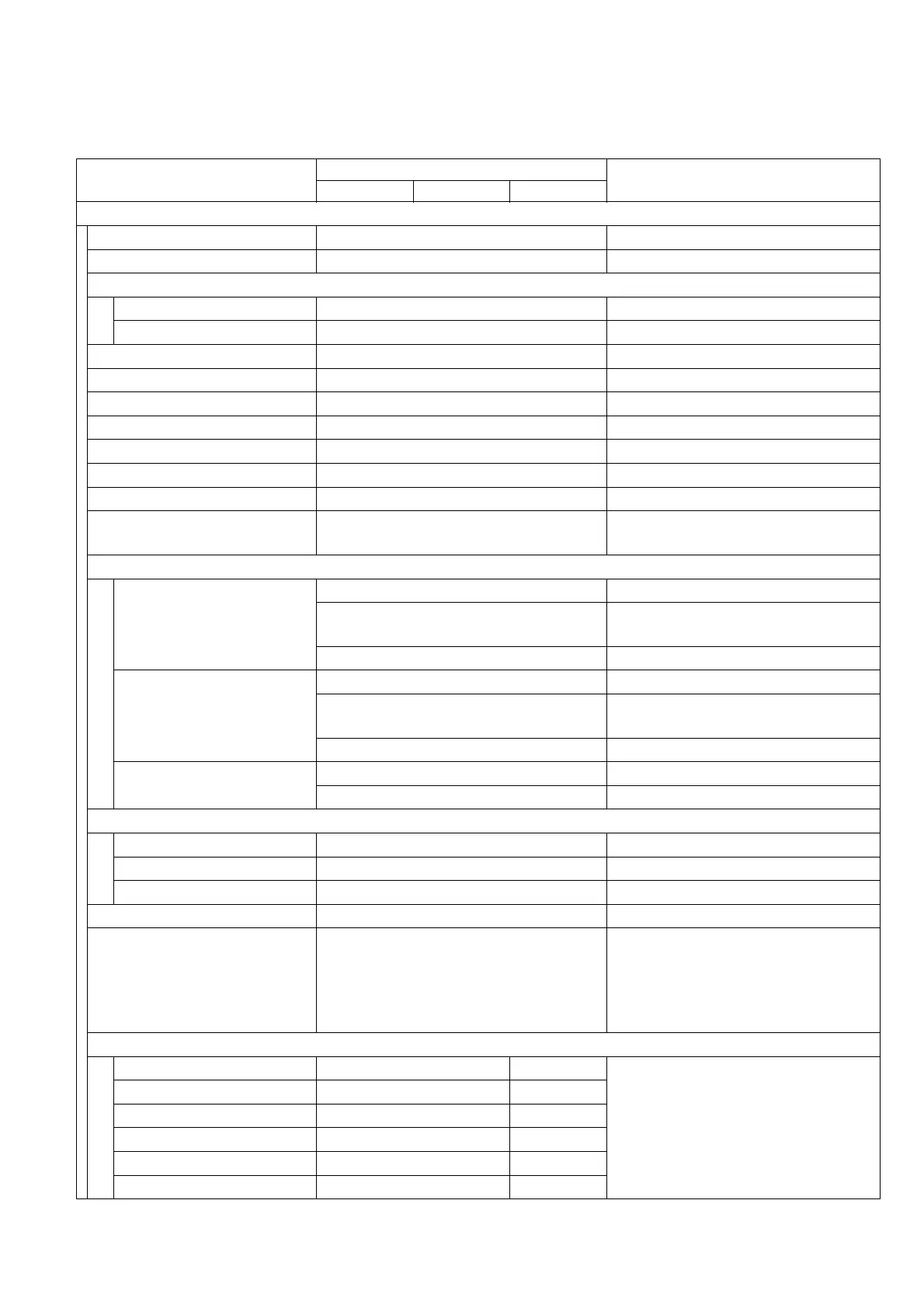
Items
Description
Remarks
DP-8020E DP-8020P DP-8016P
Basic Specifications
1 Type Desktop
2 Platen Option
3 Original Position
Platen Left / Rear
ADF / i-ADF Left / Center
4 Recording Paper Path Center
5 Face Up / Face Down Face Down
6 Drum Organic Photo Conductor (OPC)
7 Copy Process Dry Electrostatic System
8 Developing Process Dry Dual Components
9 Toner Recycle No
10 Fusing System Heat & Pressure
11 Max Original Size
Ledger (11 x 17 in) /
A3 (297 x 420 mm)
12 Paper Size
Paper Tray
LDR, LGL, LTR, LTR-R, INV-R For USA and Canada
A3, A4, A4-R, A5, A5-R, B4, FLS
For EU
FLS = 8 x 13 in, 8.5 x 13 in
A3, A4, A4-R, B4, B5, B5-R For Other Destinations
Bypass Tray
LDR, LGL, LTR, LTR-R, INV-R For USA and Canada
A3, A4, A4-R, A5-R, B4, FLS
For EU
FLS = 8 x 13 in, 8.5 x 13 in
A3, A4, A4-R, B4, B5, B5-R For Other Destinations
Bypass Tray (Envelope)
#10 (4.1 x 9.5 in) For USA and Canada
DL (4.3 x 8.7 in) For EU
13 Paper Weight
Paper Tray 16-24 lb (60 - 90 g/m2)
Bypass Tray 15-34 lb (55 - 133 g/m2)
ADU 17-24 lb (64 - 90 g/m2) For DP-8020E
14 Warm-up Time Less than 30 sec 68 °F (20 °C)
15 First Copy Time Less than 6.9 sec
From Platen, Letter/ A4 Portrait,1st
Paper Tray. Period between Start
Key is pressed and Paper ejected
to the Exit Tray.
When LSU is ready.
16 Copy Speed
Ledger / A3 11 cpm 9 cpm
From Platen, 1st Paper Tray, and
Paper ejected to the Exit Tray, LSU
is ready, and Continuous Copy.
A3 11 cpm 10 cpm
Legal / B4 / FLS 13 cpm 11 cpm
Letter-R / A4-R 16 cpm / 15 cpm 13 cpm
Letter / A4 20 cpm 16 cpm
Invoice-R / A5-R 20 cpm 16 cpm








 To Next Page