EasyManua.ls Logo

Pentax 645D - How to Use the Menu

Pentax 645D
160 pages
Print Icon
To Next Page IconTo Next Page
To Previous Page IconTo Previous Page
Loading...
R12
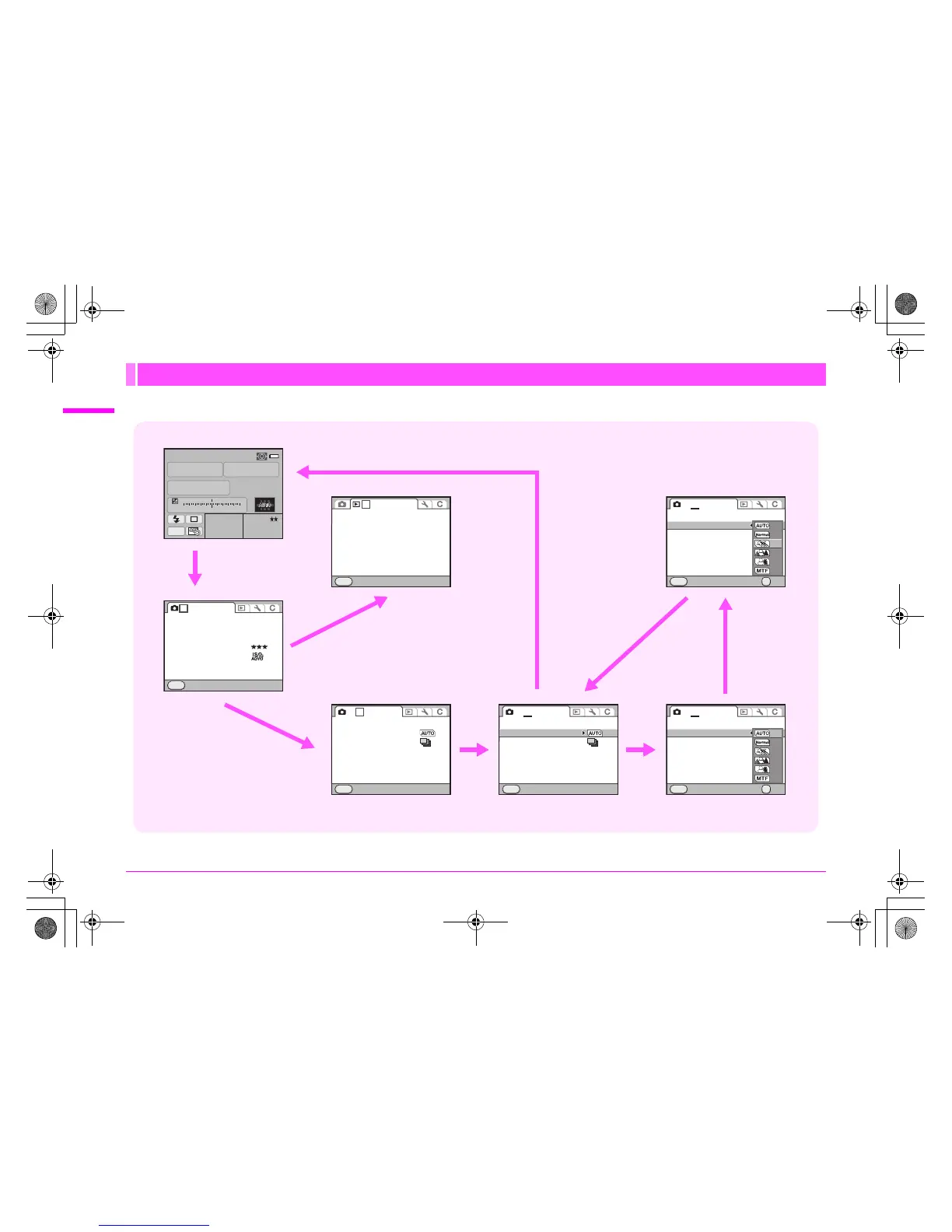
Menu Descriptions and Default Settings
Example: Setting [Program Line]
How to Use the Menu
P
AF.S
1/
ISO
125
200
5.6
RAW JPEG M
F
11223344+5
-
5
AWB
2 [
456
]1 [
123
]
Exit
MENU
1
Slideshow
Playback Display Method
Delete All Images
JPEG
JPEG
L
Exit
MENU
1 234
SD1 Image File Format
SD2 Image File Format
JPEG Recorded Pixels
JPEG Quality
ISO AUTO Adjustment
D-Range Setting
Program Line
Lens Correction
Extended Bracketing
HDR Capture
Multi-exposure
Interval Shooting
Exit
MENU
1 2
3
4
Off
OFF
Program Line
Lens Correction
Extended Bracketing
HDR Capture
Multi-exposure
Interval Shooting
Exit
MENU
1 2
3
4
Off
OFF
OFF
Program Line
Lens Correction
Extended Bracketing
HDR Capture
Multi-exposure
Interval Shooting
Cancel OK
OK
MENU
1 2
3
4
OFF
OFF
Program Line
Lens Correction
Extended Bracketing
HDR Capture
Multi-exposure
Interval Shooting
Cancel OK
OK
MENU
1 2
3
4
OFF
OFF
1 3 button
2 R dial
3 23 keys 4 5 key
5 23 keys
7 3 button
2 S dial
6 4 button
e_kb487.book Page 12 Wednesday, December 8, 2010 9:49 AM

Table of Contents

Other manuals for Pentax 645D

Related product manuals