75
Playback and Processing Functions
4
Changing the Image Size
You can change the number of recorded pixels and quality level
of an image and save it as a new file.
Caution
• Only JPEG images captured with this camera can be resized.
• Images once resized to s cannot be resized again.
1 Select the image to resize and then select n
(Resize) in the playback mode palette.
2 Select the image size.
Select from j, k, l, m, n,
o, p, q, r, a and s. (The
available sizes differ depending on the
original image size.)
3 Select the quality level and press the 4 button.
4 Select [Save as].
You can crop an image and save it as a new file.
Caution
• Only JPEG and RAW images captured with this camera can be
cropped.
• Images resized to a or s with this camera cannot be cropped.
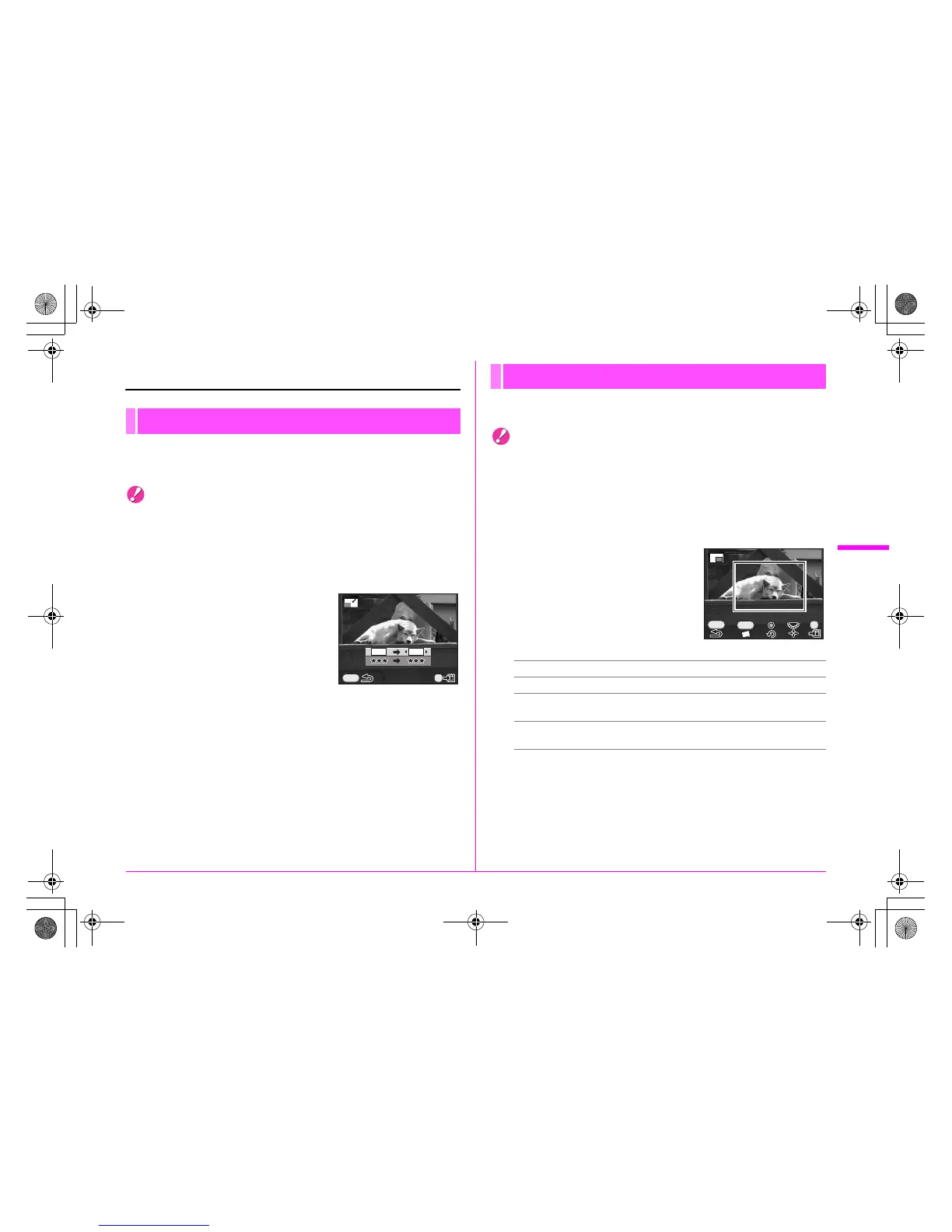
1 Select the image to crop and then select o
(Cropping) in the playback mode palette.
2 Specify the size and position
of the area to crop by using
the cropping frame that
appears on the screen.
Available operations
3 Press the 4 button.
4 Select [Save as].
Resizing Images
MENU
40M 36M
OK
Cropping Images
S dial Changes the size of the cropping frame.
2345 keys Moves the cropping frame.
M button Rotates the image from –45° to +45° in
increments of 1°.
| button Rotates the cropping frame in 90° increments
(only when the cropping frame can be rotated).
OK
MENU
INFO
e_kb487.book Page 75 Wednesday, December 8, 2010 9:49 AM



 To Next Page