45
Shooting Functions
3
2 When [j] is selected, use the 2345 keys to
select the desired focus position.
Pressing the 4 button returns the focus position to the center.
Memo
• To turn off the red light of the superimposed AF point, set [15.
Superimpose AF Area] to [Off] in the [A3] menu. (z p.R32)
• You can select the number of AF points from 11 (default setting), 5
or 3. The selected AF points are used as the focus position when
the AF point switching dial is set to j. Set this with [16. Number
of AF Points] in the [A3] menu. (z p.R32)
• The focus position selected when set to j is saved even if the
camera is turned off or the focus area is switched to U or S.
• When any of the following operations are performed, changing of
the AF point (in Step 2) is canceled.
• The main switch is turned off
• The AF point switching dial is turned
• The mode dial is turned
• The Q or 3 button is pressed
• When the camera is used with the A645 mount lens, an
intermediate ring, or other accessory, the focus area is always set
to U.
Exposure Setting
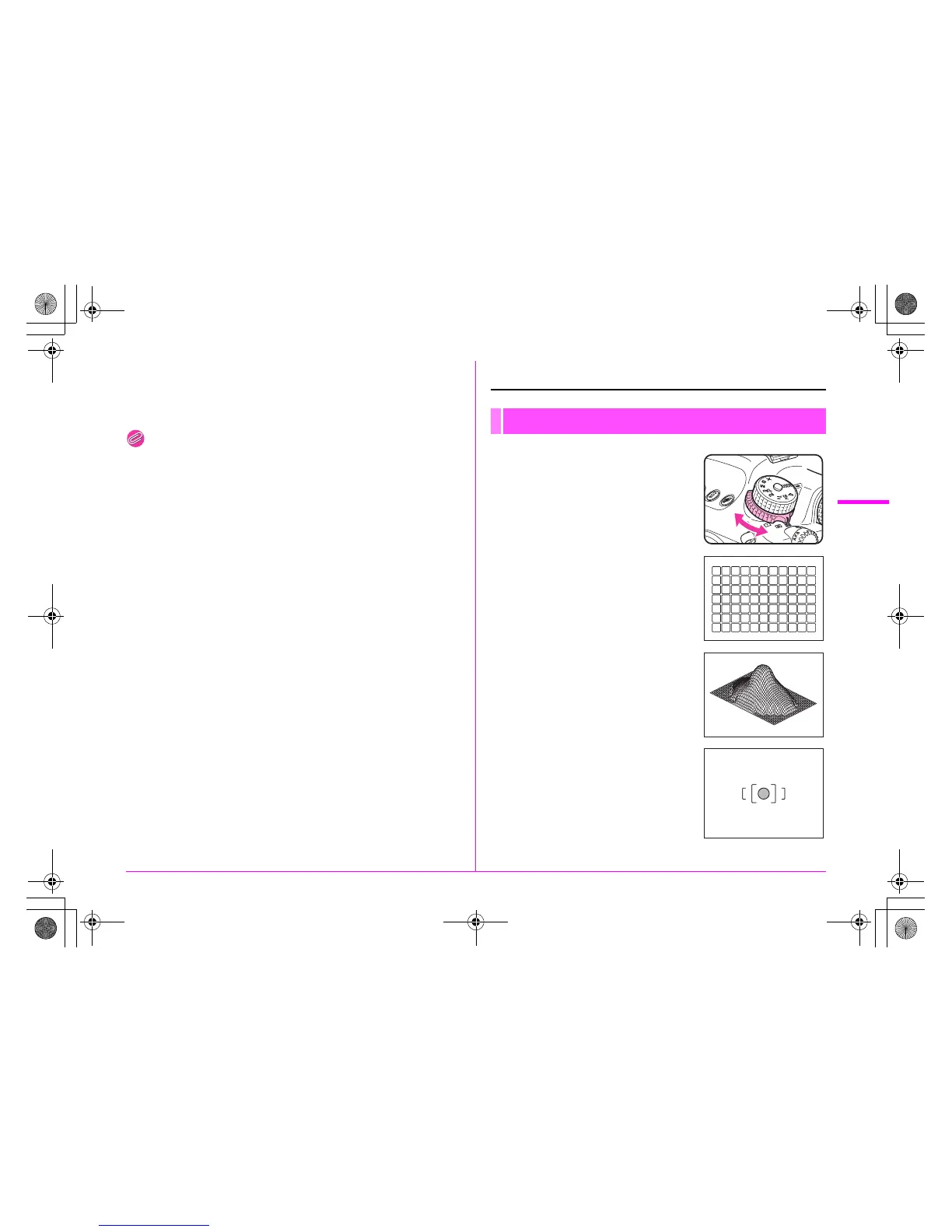
1 Turn the metering mode
switching lever.
The set metering mode is displayed in
the viewfinder and on the status
screen.
L Multi-segment metering
The image in the viewfinder is metered
in 77 different zones.
M Center-weighted metering
Metering is weighted at the center of
the viewfinder image.
The sensitivity at the center of the
image is high and is not automatically
compensated even for backlit scenes.
N Spot metering
Metering is performed only for a
limited area at the center of the
viewfinder image.
Selecting the Metering Mode
e_kb487.book Page 45 Wednesday, December 8, 2010 9:49 AM



 To Next Page