12
Before Using Your Camera
1
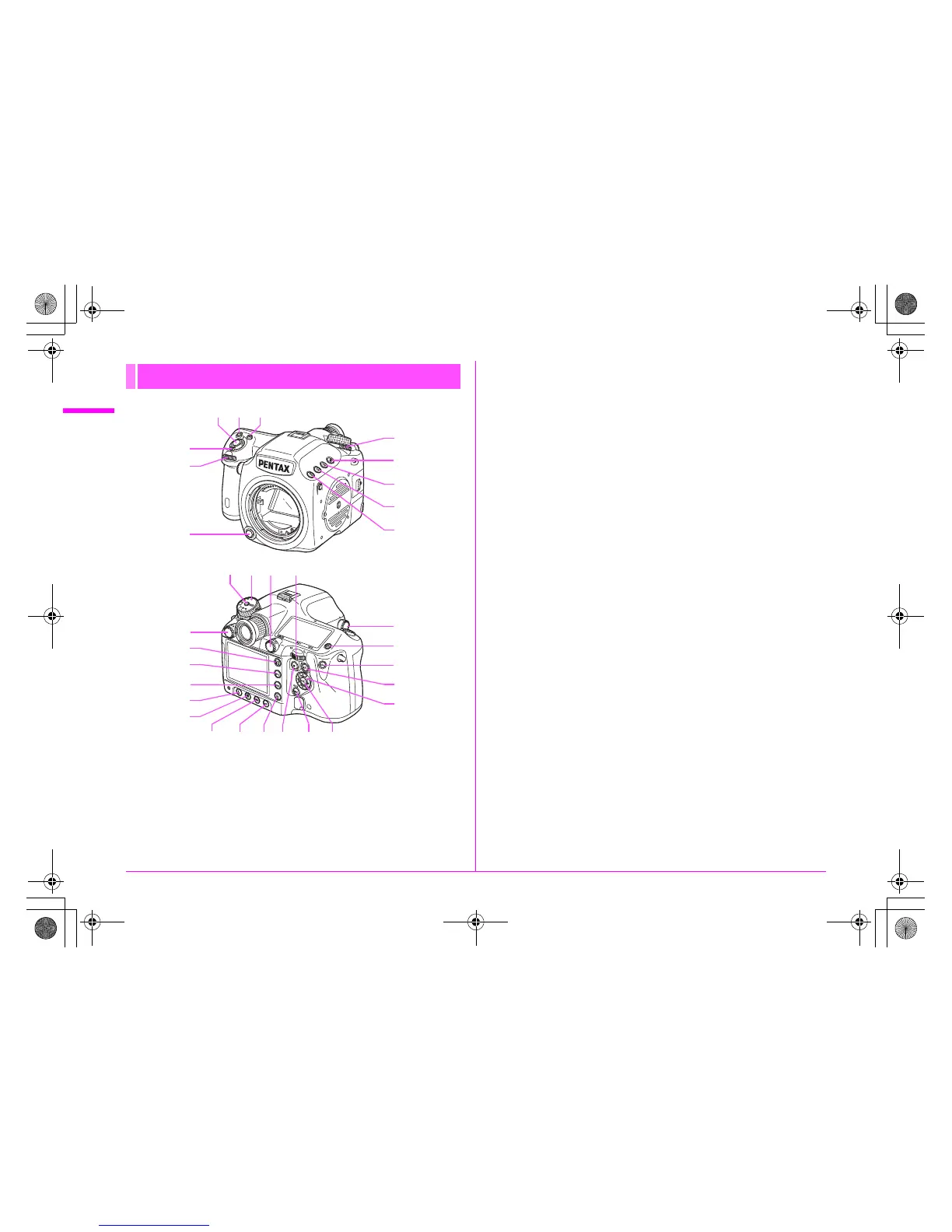
1 Shutter release button
Press to capture images. (p.37)
Press halfway during playback to switch to Capture mode.
2 o button
Turn the S dial while pressing this button to set the ISO
sensitivity. (p.46)
3 m (EV Compensation) button
Turn the S dial while pressing this button to set the EV
compensation value. (p.48)
Press to increase the magnification in enlarged view during
playback. (p.67)
4 Main switch
Move to turn the power on/off (p.33) or to preview (p.61).
5 R (Front) e-dial
Changes setting values.
Displays the next or previous image during playback.
Switches between the menu categories when a menu is displayed.
(p.40)
6 Lens unlock button
Press to detach a lens.
7 Metering mode switching lever
Switches between the metering modes. (p.45)
8 ] (Exposure Bracketing) button
Sets exposure bracketing. (p.56)
9 x (SD2 quality level) button
Sets the file format for saving images to the SD Memory Card in
the SD2 slot. (p.42)
0 w (SD1 quality level) button
Sets the file format for saving images to the SD Memory Card in
the SD1 slot. (p.42)
a | button
Temporarily changes the file format. Set the file format in the [A 4]
menu. (z p.R19)
b Mode dial lock button
Press to allow the mode dial to be turned. (p.48)
c Mode dial
Switches between the exposure modes. (p.48)
Buttons, Dials, and Levers
l
m
n
o
p
f
g
h
i
t
j
k
cdb
uv
e
srq
7
8
9
0
a
4
5
3
6
21
e_kb487.book Page 12 Wednesday, December 8, 2010 9:49 AM



 To Next Page