102
Shooting Functions
4
2
Use the four-way controller
(2345) to select [AE Metering]
and press the 4 button.
The [AE Metering] screen appears.
3
Use the four-way controller (45)
to select a metering method.
4
Press the 4 button.
The camera returns to the status screen and is ready to take a picture.
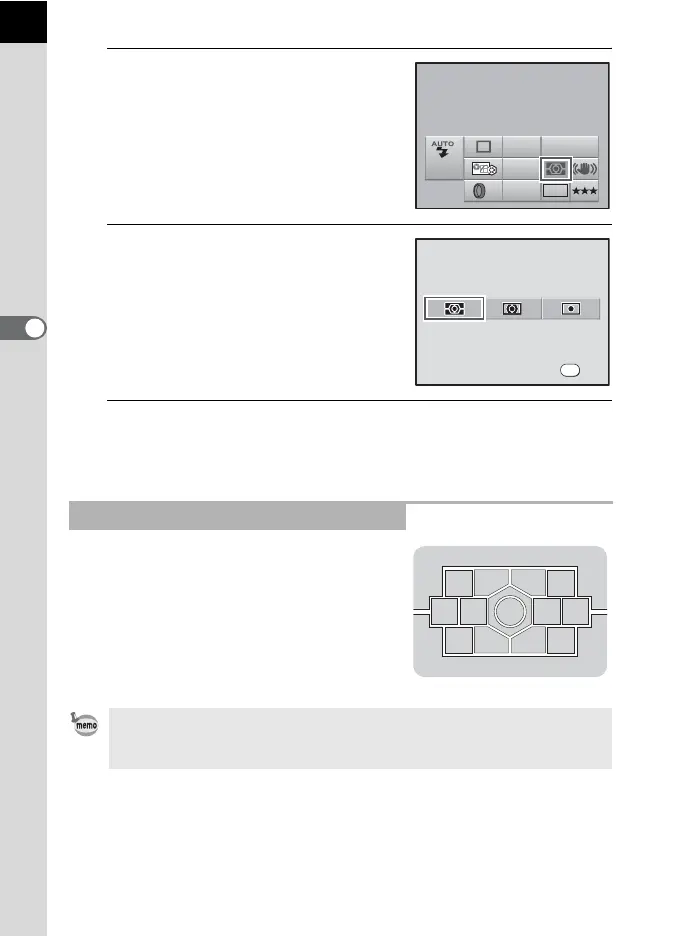
The scene in the viewfinder is metered in
16 different zones as shown in the
illustration when using the multi-segment
metering. Even in backlit locations, this
mode automatically determines what level
of brightness is in which portion and
automatically adjusts exposure.
Using the Multi-Segment Metering
Multi-segment metering method is not available when using a lens other than
a DA, DA L, D FA, FA J, FA, F or A lens, or when lens aperture ring is set at
other than s.
AE Metering
Multi-segment
AF.A
JPEG
AWB
ISO
AUTO
10M
OFF
400
AE Metering
Multi-segment
OK
OK



 To Next Page
 Loading...










