200
Printing from the Camera
9
Setting the Printing Service (DPOF)
You can order conventional photograph prints by taking the SD Memory
Card with recorded images to a store for printing.
DPOF (Digital Print Order Format) settings allow you to specify the
number of copies and to imprint the date.
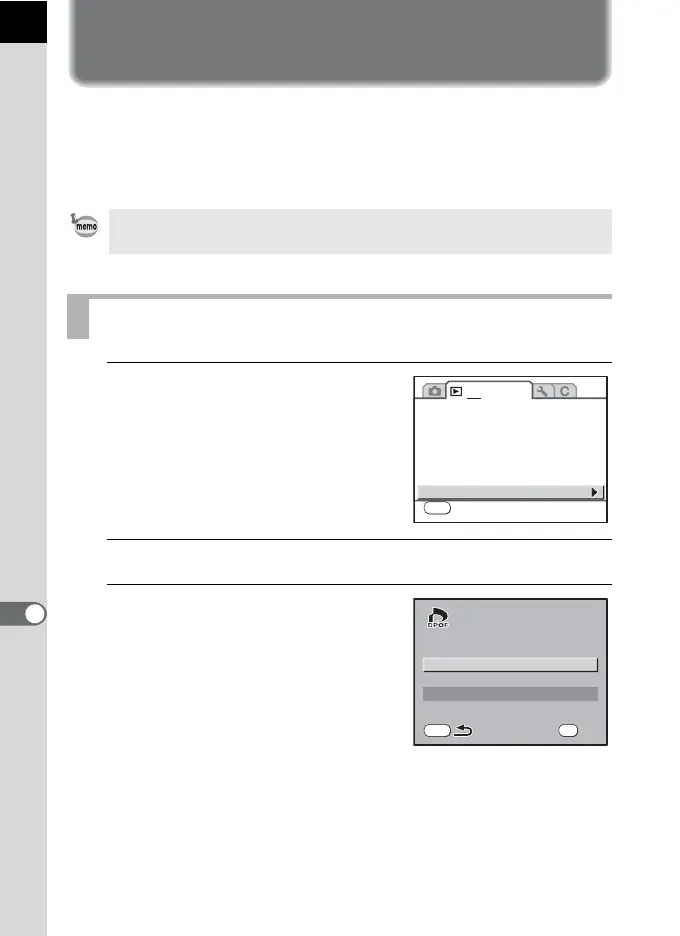
1
Select [DPOF] in the
[Q Playback 1] menu.
2
Press the four-way controller (5).
3
Use the four-way controller
(23) to select [Single Image]
and press the 4 button.
• DPOF settings cannot be applied to RAW images.
• You can make DPOF settings for up to 999 images.
Printing Single Images
1 2
MENU
Exit
Image Comparison
Slideshow
Digital Filter
Resize
Cropping
Protect
DPOF
MENU
Single Image
All Images
OK
OK



 To Next Page
 Loading...










