244
Appendix
12
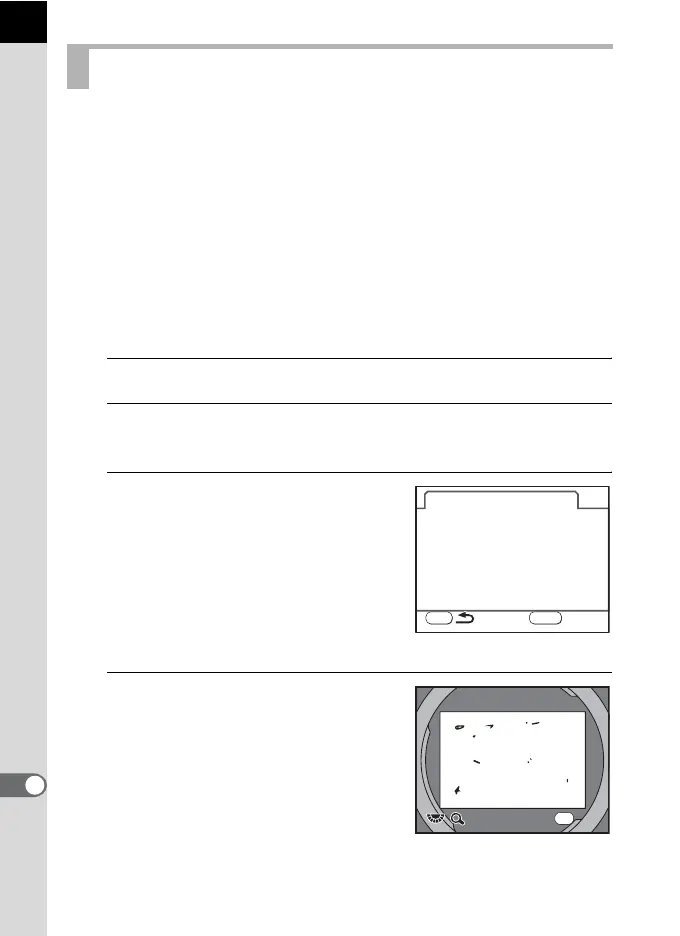
Dust Alert is the function that detects dust adhering to the CCD and
visually displays the location of the dust.
You can save the detected image and display it when performing sensor
cleaning (p.246).
The following conditions must be met before using the Dust Alert function:
• A DA, DA L, FA J lens or a D FA, FA and F lens that has an Aperture
s (Auto) position is attached.
• The aperture is set to the s position when using a lens with an
aperture ring.
• The focus mode lever is set to =.
1
Select [Dust Alert] in the [R Set-up 3] menu.
2
Press the four-way controller (5).
The [Dust Alert] screen appears.
3
Fully display a white wall or
uniformly bright subject in the
viewfinder and press the shutter
release button fully.
After image processing is performed, the
Dust Alert image appears.
If [NG] is displayed, press the 4 button
and take another picture.
4
Press the 4 button.
The image is saved and the camera
return to the [R Set-up 3] menu.
Detecting Dust on the CCD (Dust Alert)
MENU
Dust Alert
Check
For checking dust on the
sensor. Press the shutter
sensor. Press the shutter
release button
SHUTTER
x1
x1
Exit
Exit
OK



 To Next Page
 Loading...










