66
Basic Operations
3
1
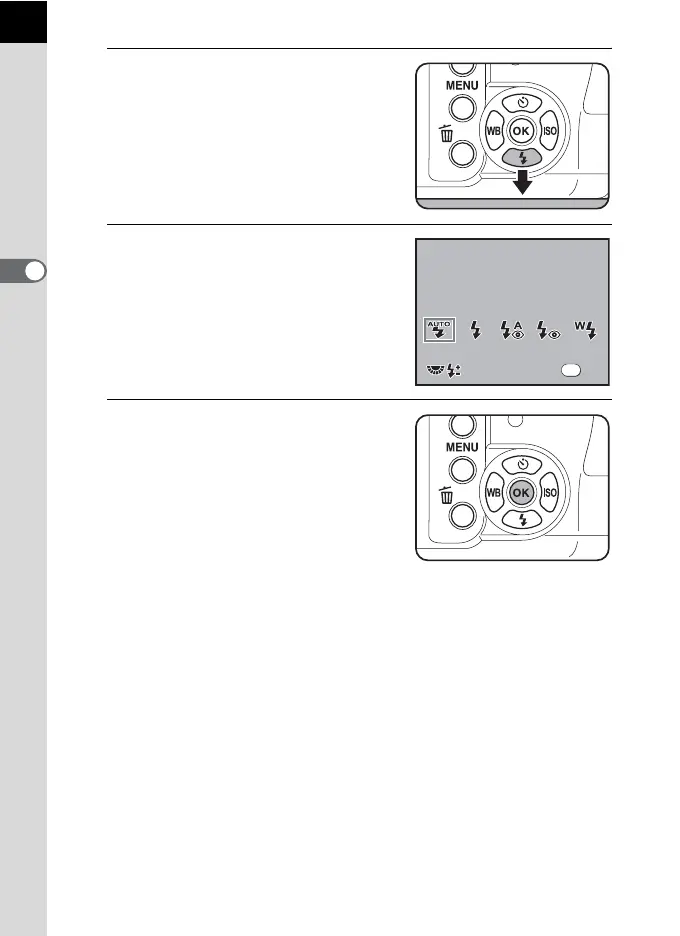
Press the four-way controller (3)
in Capture mode.
The [Flash Mode] screen appears.
2
Use the four-way controller (45)
to select a flash mode.
Turn the e-dial to perform Flash exposure
compensation. (p.70)
When the mode dial is set to e, K, b,
c or a, g and i appear gray and
cannot be selected.
3
Press the 4 button.
The camera returns to the status screen
and is ready to take a picture.
0.0
0.0
Flash Mode
Auto discharge
Flash Mode
Auto discharge
OK
OK
OK



 To Next Page
 Loading...










