225
Camera Settings
10
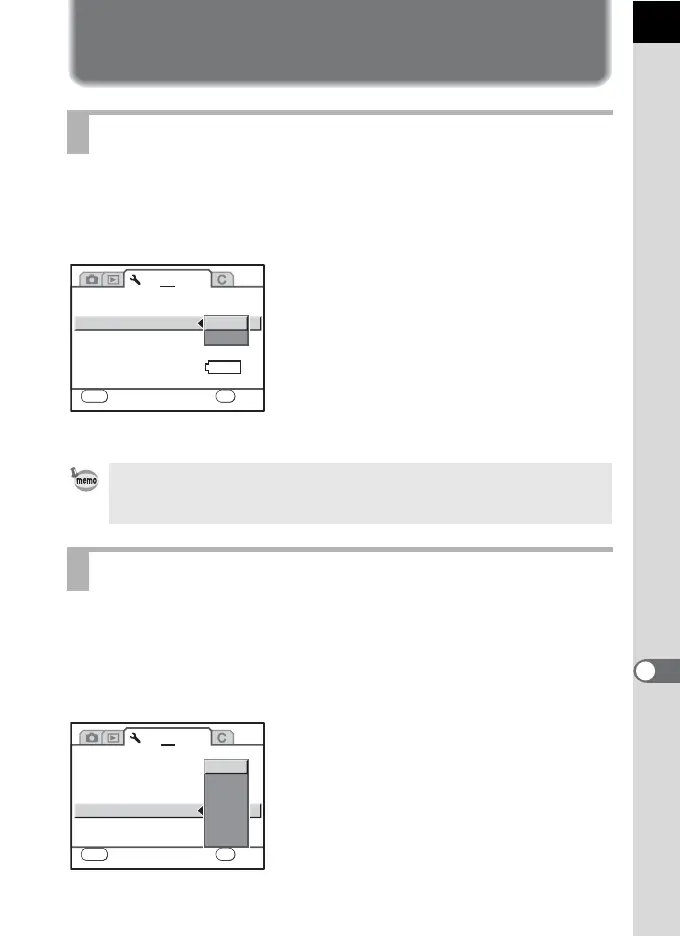
Selecting the Video Output Format
and Power Settings
When you connect the camera to AV equipment such as a TV, choose an
appropriate video output format (NTSC or PAL) for playing back images.
Set in [Video Output] in the [R Set-up 2] menu (p.212).
1 Connecting the Camera to AV Equipment (p.186)
You can set the camera to turn off automatically if unused after a certain
length of time. Select from [1 min], [3 min], [5 min], [10 min], [30 min] or
[Off]. The default setting is [1 min].
Set in [Auto Power Off] in the [R Set-up 2] menu (p.212).
Selecting the Video Output Format
The default video output format differs depending on the region. When you
switch the World Time to X (Destination), the video output setting changes to
the default setting for that city.
Setting Auto Power Off
1 2 3
LCD Color Tuning
Brightness Level
Video Output
USB Connection
Auto Power Off
Select battery
±0
NTSC
1min
Reset
PC
MENU
Cancel
OK
OK
AUTO
NTSC
PAL
1 2 3
MENU
Cancel
LCD Color Tuning
Brightness Level
Video Output
USB Connection
Auto Power Off
Select battery
±0
Reset
OK
OK
1min
3min
5min
10min
30min
Off



 To Next Page
 Loading...










